

In the past, to schedule an Instagram post, it was necessary to use multiplatform management tools such as Hootsuite or Creator Studio Facebook. However, this is no longer necessary, since the social network now allows you to program content natively. It is an equally simple procedure how to program Instagram messages.
The only thing you should keep in mind is that, to native to program on Instagram, You must have a professional or creator account. If you do not have such a profile, the option will not be available on the social network.
Taking into account the above, if you publish constantly content on Instagram and want to program it to have a better organization and save work and effort, in this article you will learn the right procedure to fulfill your mission in a easily, safe and fast way.
Steps to program publications on Instagram
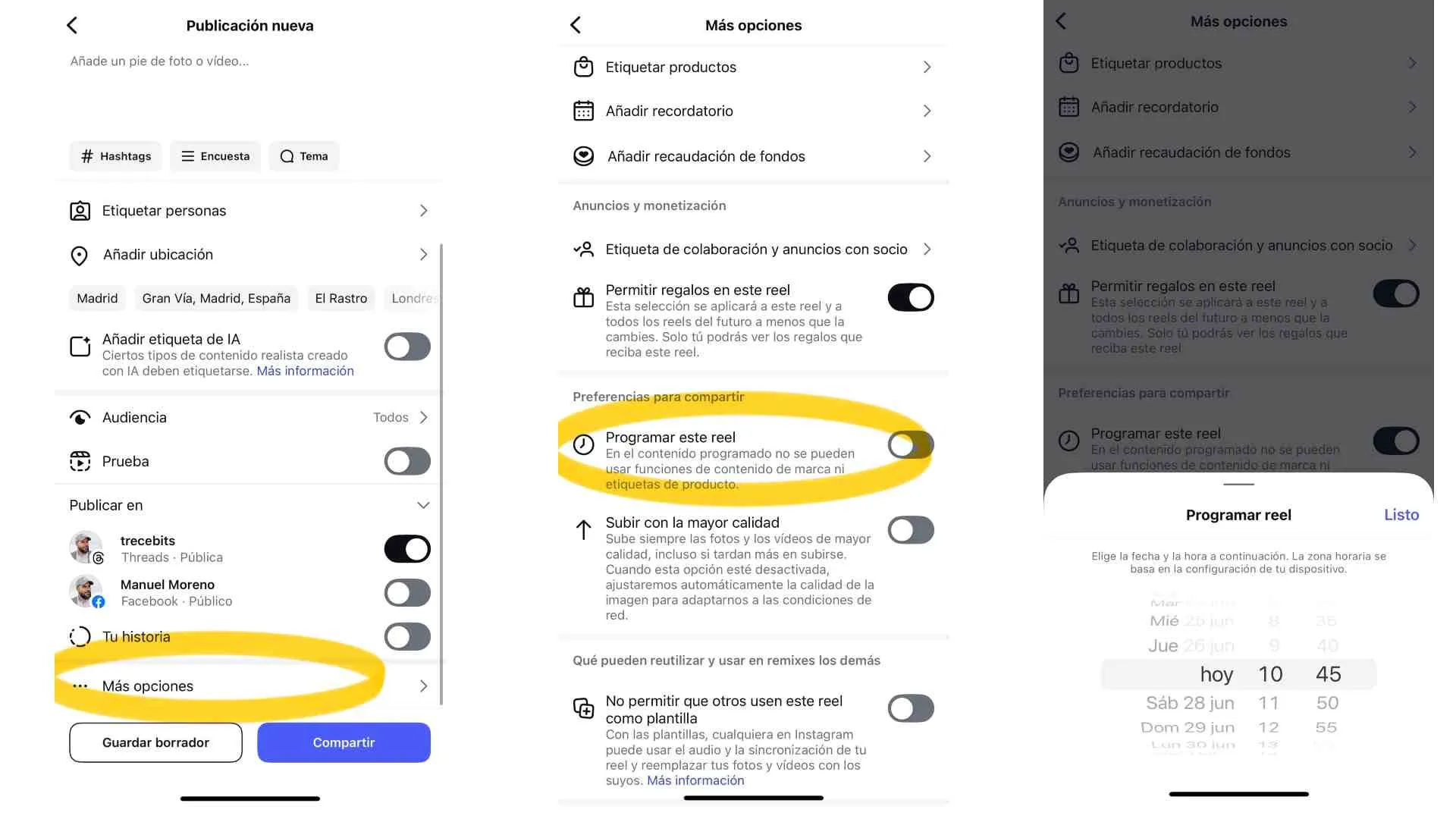
By having a company or creator account on Instagram, you can also access the statistics of your publications so you know what days and hours are the best to expose new content on the social network. Follow these steps:
- Log in to your Professional or Creator Instagram account and create a content in the usual way. It plays the "+" icon located in the lower menu to create a publication, in the usual way. Choose the type of content (normal publication, history or reel) and select music, filters and other desired effects.
- Before publishing, on the screen where you put the title to the photo and choose other options, move down and select "Advanced configuration" or "more options."
- A new menu will open, oppress on the option "Schedule this publication" and choose the exact date and time in which you want the content of the social network to be exposed. Note that you can program up to 75 days in advance.
- When choosing the date, confirms the action playing in the "Ready" button and then squeezes on "program" at the top to conclude with the publication programming.
Leave a Reply