

The Instagram app now exposes, without warning, the “AI Creator” or “AI Content Creator” label on some accounts. It serves to identify profiles that continually resort to Artificial Intelligence to generate all types of content, such as descriptions, videos, photos...
Instagram's goal with the label is to be more transparent, so that users do not confuse reality with something that, most likely, could be the product of AI. However, the truth is that it is not mandatory to show this label if you do not want to. In fact, if you only use Artificial Intelligence rationally and for specific things, it is not something you should include in your profile.
Therefore, if you don't know how to get rid of the mark that Instagram has put on your profile, don't worry. Next, in this article you will learn what you need to do to get your account back to absolute normality and any AI marks disappear.
Steps to remove the “AI Creator” tag
Before starting, you should update the Instagram application to its latest version to ensure that you have the option available that allows you to remove the tag from your profile. Once the app is updated, do the following:
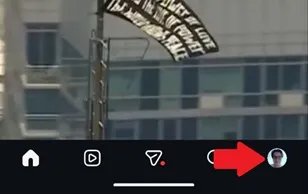
– Enter the Instagram application and touch your profile icon located in the lower right corner.
– You will access your profile page, there you must press the button called “Edit profile”, which is above your library of photos, videos and Reels.

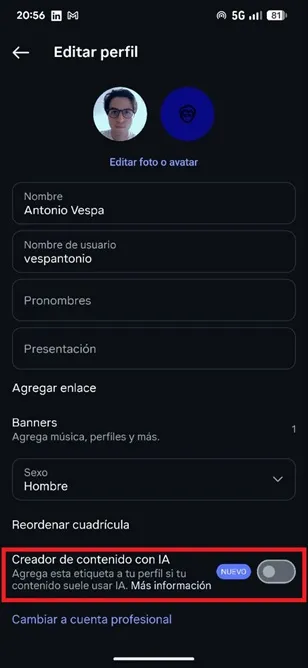
– At this point, scroll down and turn off the switch for the “AI Content Creator” feature. That's all you have to do, this way, even though you use AI in the content you publish on Instagram, the tag in question will not be displayed.
Leave a Reply