

ChatGPT allows you to maintain a fluid dialogue with Santa Claus, answering even complex questions in a totally logical way, making recommendations and much more.
With the arrival of Christmas, the application developed by OpenAI (the developers of ChatGPT) has enabled the new "Santa Claus mode". With it, the children - and not so children - in the house can have a conversation with Santa to talk about their gifts, the wishes they have and anything that comes to mind.
If you want to give a special surprise to the children who are with you this Christmas, so that they have an unforgettable moment, in addition to using a video calling app with Santa Claus, in this article you will learn how to activate ChatGPT's "Santa mode". I'm sure they spend hours talking to him safely.
How to activate “Santa mode” in ChatGPT
This is a very easy procedure, since you will not need any third-party app to talk to Santa Claus on ChatGPT as many times as you want.
In addition, the instructions are the same wherever you use ChatGPT, whether they are Windows, macOS, iOS or Android devices. You just have to do the following:
– Download the ChatGPT platform on the device you want.
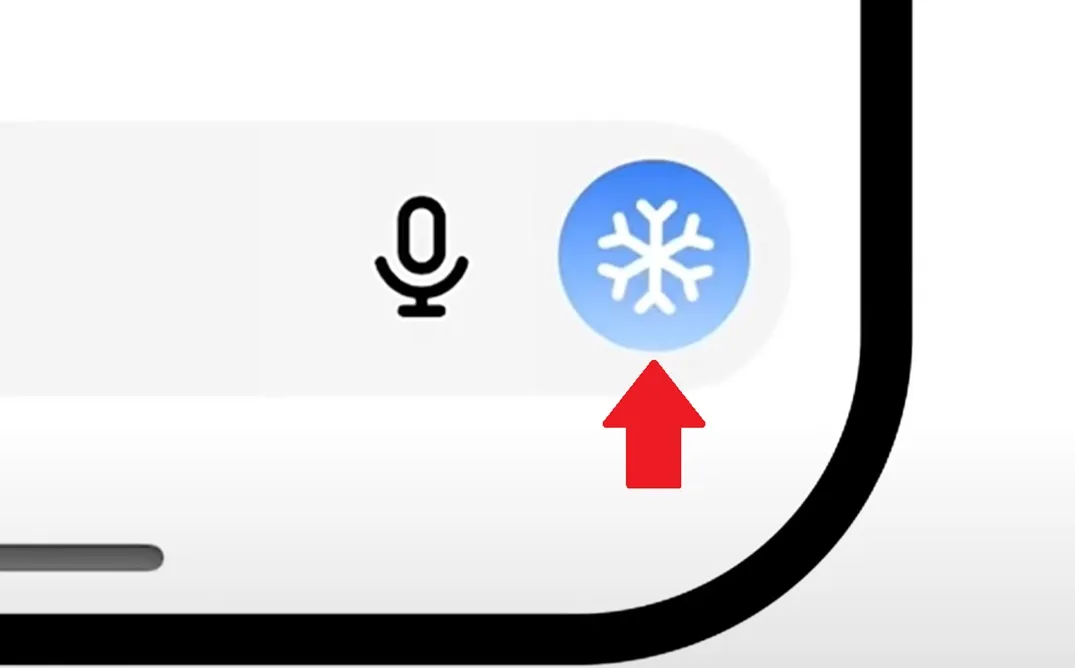
– Once inside, in the writing box (to the right side of the microphone icon) you will see a snowflake-shaped icon. All you have to do is press it to enter the Santa Claus section.
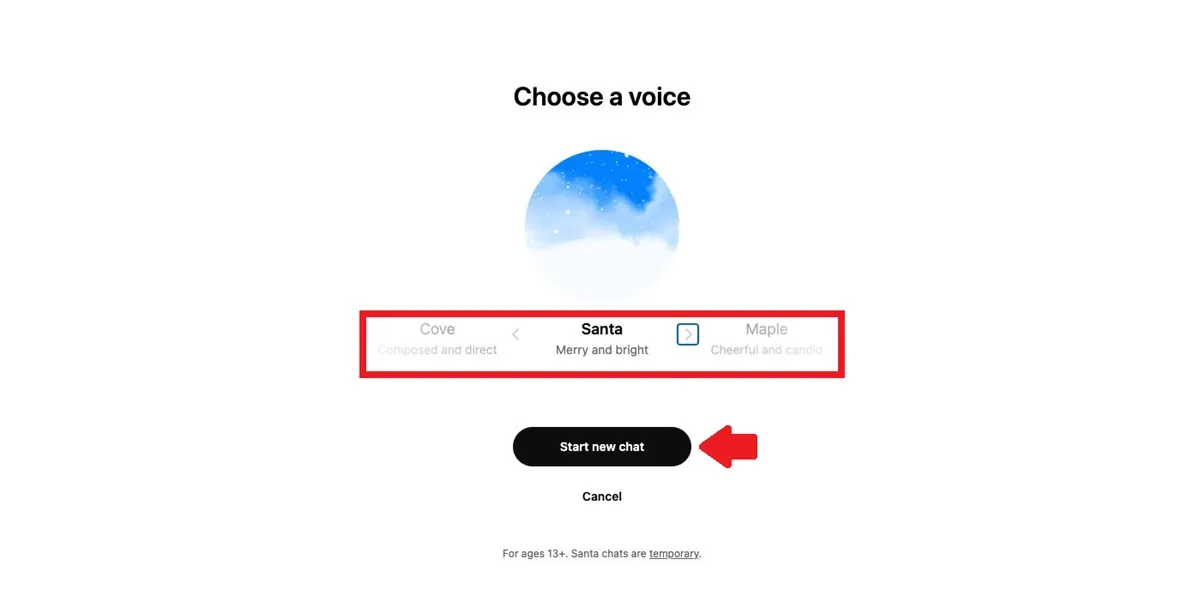
– Now, choose the voice you want Santa to have, ChatGPT will offer you several options. When making the choice, press the “Start new chat” button.
– Now you are ready to talk to Santa Claus, press the microphone icon to start the conversation. The bot has the ability to chat about all kinds of Christmas-related topics, such as gifts, your wishes for the New Year, it will ask how you have been behaving, how school has gone, and much more.

Leave a Reply