
File manager, the file explorer from Xiaomi
5 years ago
File Manager by Xiaomi, is a file management app which is included by default in the devices of the Chinese brand; although we can get it, likewise, for any other device with Android operating system.
It is worth mentioning that the interface of File Manager is very well designed; it is divided into folder panels and main categories.
Especially, it draws attention to the fact that Xiaomi file cleaner can ideally work on any of the Android layers, thus, we have the opportunity to use it regardless of the ROM we have.
what are the features and functions of Xiaomi File Manager?
Just as it happens with other similar applications, File Manager allows us the integration with Google Driveas well as the fTP transfer.

In order to have this function, you need to keep the application up to date (something we should take into account if, for example, we already have it but we have stopped updating it in recent months. Since a few days ago a new version was released).
Functions of File Manager by Xiaomi with Google Drive
So, when we choose the option to link with Google Drive, we will be asked, as usual, to sign in with our Google account; furthermore, we will be asked to will ask us to give permissions to the application so that it can access our storage information, etc.
When we give this permission, then we can already manage our documents within Google Drive; or, if we wish, copy or extract them to any of the folders we have physically on our device. This can be an essential integration if you are used to manage files between the two applications.
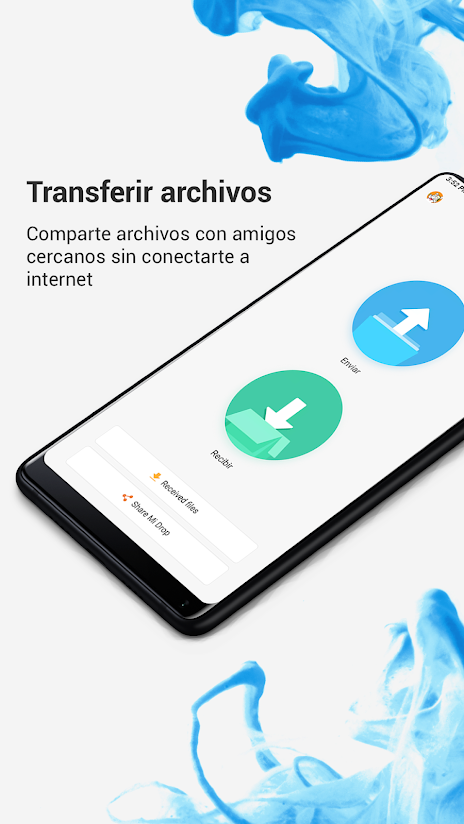
Another of the main features of File Manager is that, by means of the fTP or LAN connectionif you have an FTP or LAN connection, you will be able to access files located outside your device.
In addition, other quite strong points of the app is that we can see the files organized according to their formatfor example, grouping together all those that are of Word, Excel, PDFamong many others.
Another attraction that makes the File Manager explorer stand out among file managers is the cleanup function which gives us the opportunity to debug our terminal.
This, because the app has its own cleaner, with which we have the ability to permanently delete all those junk files and cookies that accumulate every day in our Android device thus improving storage and speed on your phone.

so, is Xiaomi's Mi File Manager file explorer worth downloading?
It's a basic explorer that has all the necessary functions, so if you're on the lookout for an application of file management application with a simple to understand interfacequite complete functions and without you having to pay anything at all (it should be noted that File Manager is free to download).
In addition, it is compatible with any Android device (not limited to Xiaomi, Redmi or Poco phones). Being, perhaps, its only disadvantage, the issue of advertising. However, let's keep in mind that most of the free download apps have it.
Taking this into account, we have to say that My File Manager is an app that, at least, is worth trying.
Leave a Reply