

Although it is not an inconvenience as such, the truth is that the monotonous presentation of Google Chrome can become a problem if you use this browser daily, since it is certainly very flat and boring. By default, the platform only has a background white color, which can be extremely bright for many users.
Now, Google Chrome has several functions that allow modifying the aspect of the browser not only to look cooler, but to adapt to your tastes. In this article you will learn to modify the style of the search engine quickly and easily.
Steps to change the appearance of Google Chrome
The following procedure only works on the Chrome platform for computers, that is, Windows and Macos. In addition, you must update to the latest version to have each of the available options. Once this is done, do the following:
- Enter Google Chrome and click on the three vertical points located in the upper right angle.

- A window will open with several options, place the cursor on "more tools" and click "Customize Chrome."

- A menu will be displayed on the right side of the screen where you can choose a new color to apply in the browser and you can also designate a fixed color for the "light" and "dark" mode of Google Chrome.
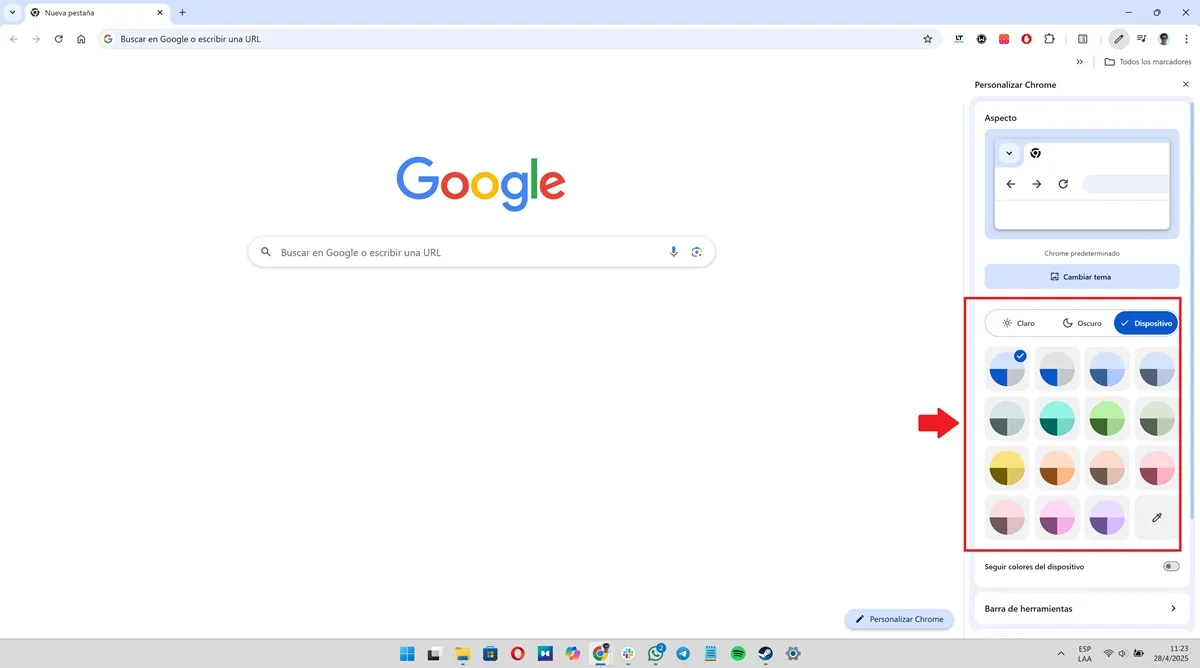
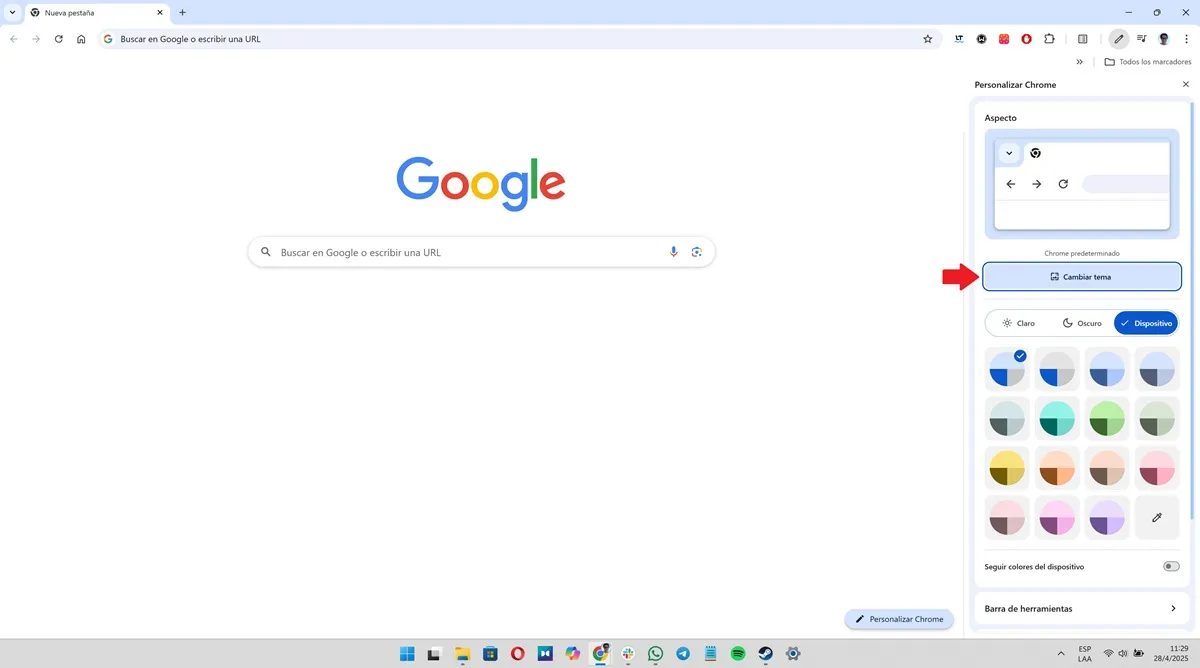
- Additionally, Chrome also allows the topic of the platform to be modified. You just have to click on the "Change theme" button to choose a background designed by Google or upload any image you have saved on your computer.
That is all you should do to change the flat and minimalist appearance of Chrome, now the browser will adapt completely to the style you have in mind.
Leave a Reply