

Instagram content repost allow you to share in your profile a publication or reel that belongs to another account, without deleting the credit of the original author of the publication.
It is a classic function in other social networks such as Tiktok or X (with the popular retuit) but that Instagram has arrived in the summer of 2025. As in all platforms, it allows the contents to enjoy more popularity when shared with more users.
Now, it is possible that at some point you can make mistakes or regret republicating a reos or a photo on Instagram. But do not worry, the social network has all the necessary options for you to eliminate the repost you have made in your account.
Steps to remove a repost on Instagram
On both Android and iOS, from Instagram settings you can erase any repost you have done. Of course, this procedure will only help you eliminate the reposts you have made yourself. If you want to prevent other users from republishing your content, this tutorial will not help you to comply with that task.
Taking into account the above, to remove an Instagram repost you must follow these indications:
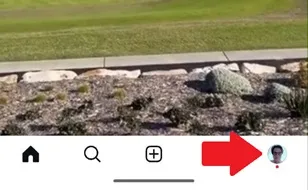
- Enter the Instagram app and touch the icon of your profile located in the lower right angle of the screen.
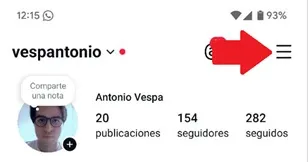
- Once inside your profile, press the three horizontal lines that are in the upper right corner.
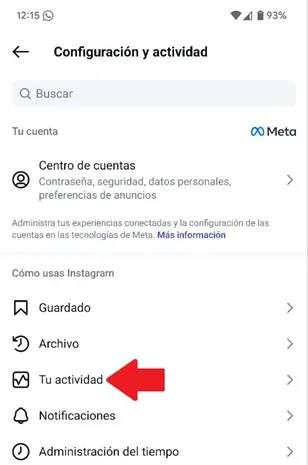
- A section will open with multiple Instagram options, select "Your activity."
- Enter the «Reposts» option.

- Now, click on "Select" and choose the repost you want to erase.

- Arrived at this point, touch the "Delete" button located in the lower area of the screen to remove the repost.

- Finally, confirm the action by pressing the "Delete" button.

That is all you should do, remember that, when you delete a repost, the app will not allow you to recover the publication or video because it will disappear from your feed.
Leave a Reply