

While it may seem like something superficial that only serves to remember old times, knowing what date you joined a Facebook Group will offer you valuable information when you need to check your seniority in it. This can be especially useful for validating your participation in private communities or keeping track of your activity within the app.
Although Facebook does not display dates at a glance, the truth is that it does store the data in a precise and easy-to-search history. Therefore, if you need this information, below, you will learn how to access it through the menu available in the app.
Steps to know the date you joined a Facebook group
It is possible to know the date of any Group you joined following an easy, safe and fast procedure, because you will not depend on third-party applications. You will only have to do the following:
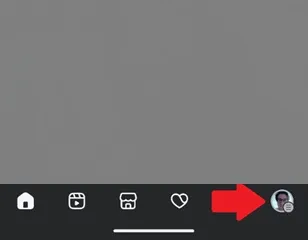
– The first thing you should do is enter the Facebook app and then press the menu icon of your profile, which is located in the lower right corner.
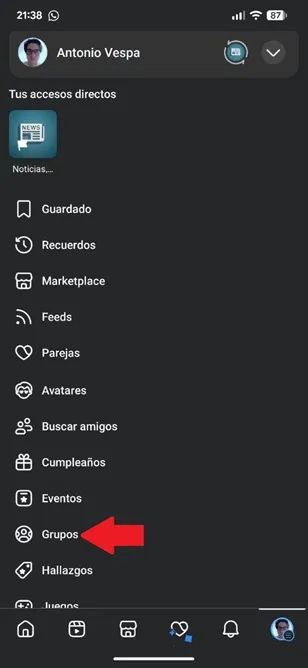
– Once inside, Facebook will show you several options, select “Groups”.
– You will see each of the groups in which you are a member, find the group in which you want to confirm the date you joined and enter it.
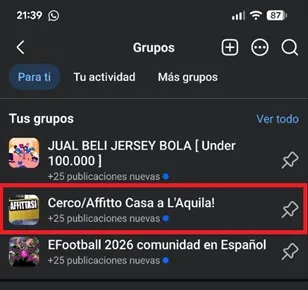
– At this point, click on the three horizontal dots in the upper right corner of the group section.

– The group options will open, there you must choose “Your group profile”.

– Finally, you will enter the group data and there you will see how long you have been a member of it. This way, you will know the exact date on which you joined so that you can use this information in any procedure you need.

Leave a Reply