

Although the function of blocking someone on Facebook can be easily applied to any user with whom you do not want to interact in the social network, the truth is that keeping a record or order of blocked individuals can become a problem because the list of blocked contacts is not exposed to the naked eye.
If you do not know where you can see the people you have blocked on Facebook, in this article you will know what you should do to know who you have banned access to your profile.
Steps to see who you have blocked on Facebook
The first thing you should know is that to access the list of blocked individuals you will not need a third -party program because the function is integrated on Facebook. The procedure to enter the list is the same in Android and iOS:
- Enter Facebook, play the icon of your profile located in the upper right angle and oppress "configuration and privacy."

- You will see new options, select «Configuration».

- Scroll down until you find the "public and visibility" section and click "blockages."
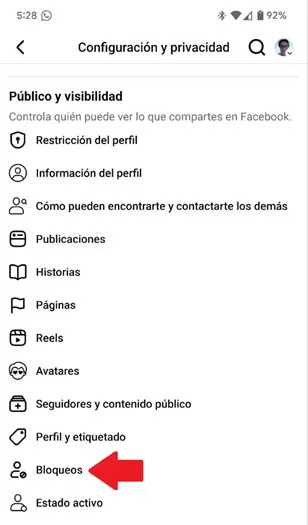
- In "Blocks" you will see all the people you have prevented interacting with your Facebook profile.

On PC
The procedure is similar to the mobile application, you just have to follow simple indications to find the locked list:
- Enter the Facebook platform, click on the icon of your profile that is in the upper right corner and oppress on "Configuration and privacy."
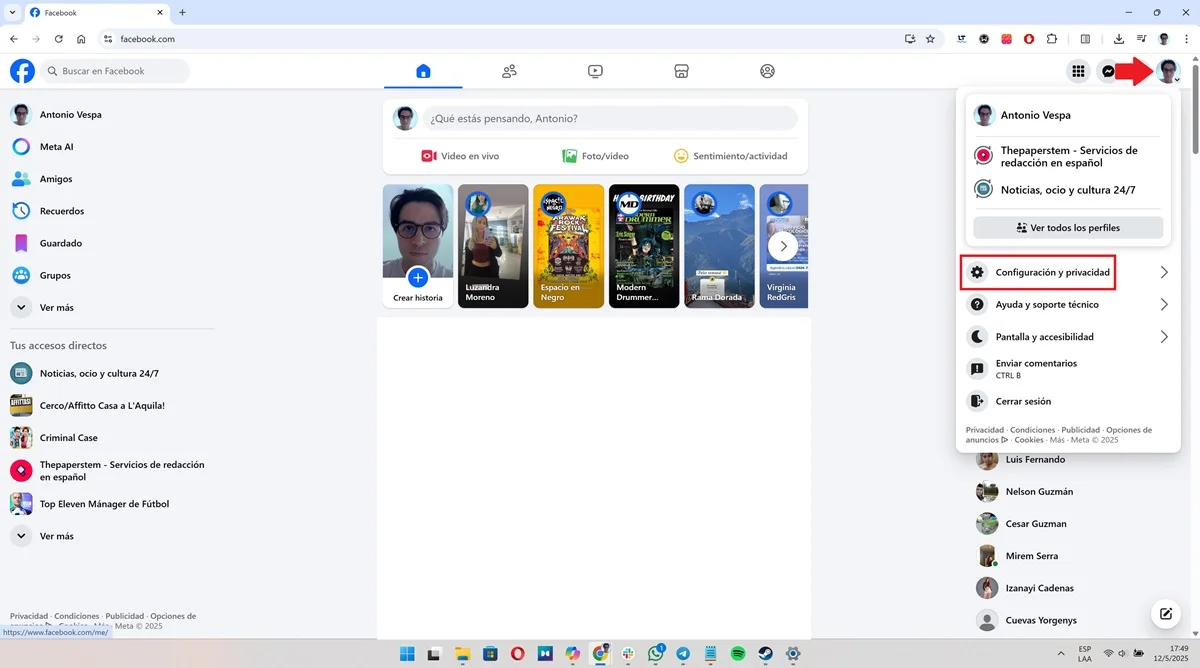
- A small floating window will open, choose "configuration."

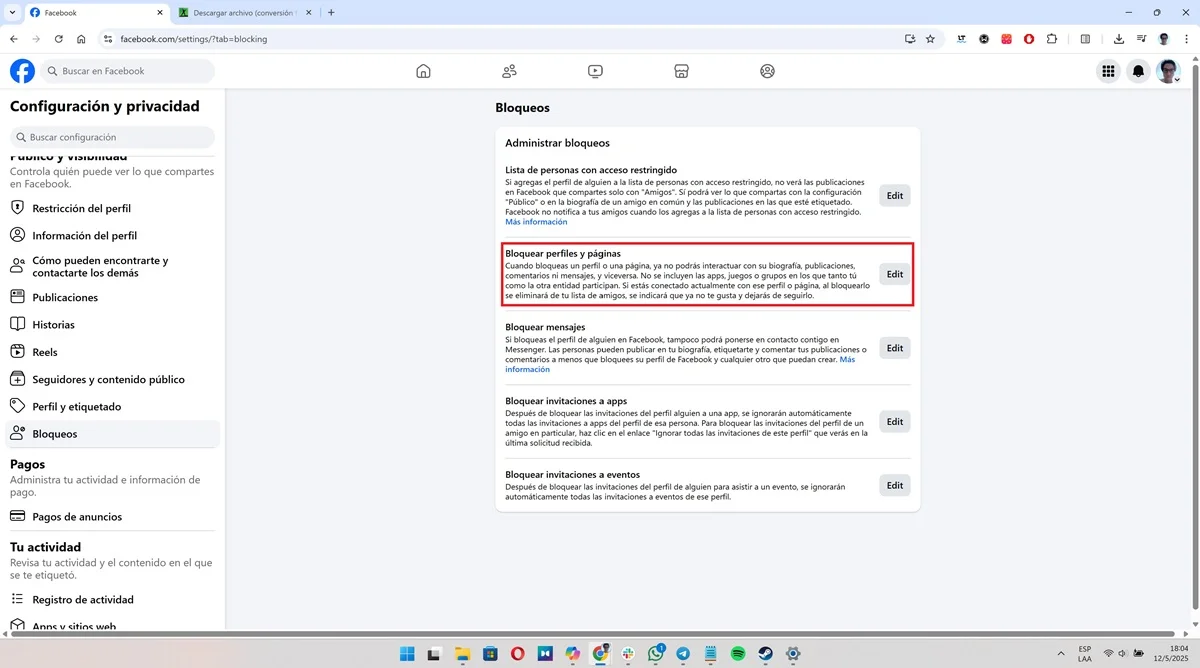
- In the menu located in the left zone of the lower screen the cursor, looks for the "public and visibility" section and squeezes on the option "Blocks".

- You will see various alternatives, click on the "EDIT" button of the "Block profiles and pages" function.
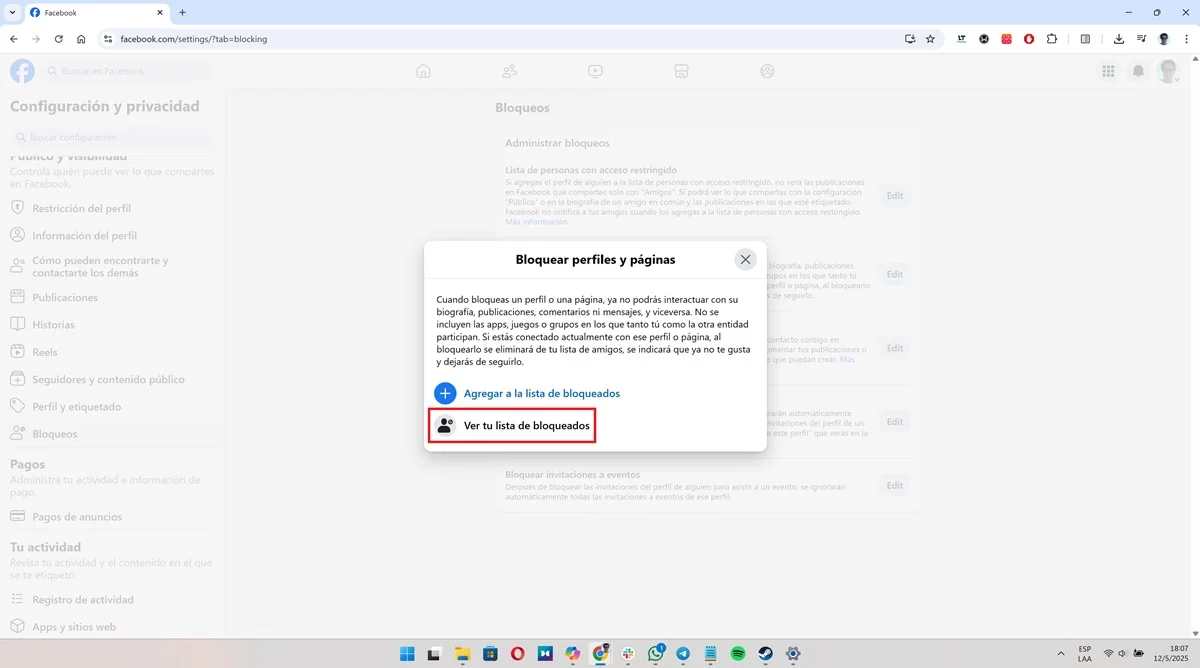
- Finally, click "See your Blocked List" to access the list of all users to whom you have restricted access to your Facebook profile.
Leave a Reply