
While observing Tiktok Lives on the mobile is comfortable and practical, there is an even more pleasant way to see live content of Tiktok influencers. Thanks to a simple trick, you can transmit the direct Tiktok to the screen of your smart TV to see them peacefully from the couch without depending on the smartphone.
While the Tiktok application, for now, does not have a function that allows you to transmit content, you can achieve it by applying a simple and safe procedure. In this article you will learn to send Tiktok's content to any other screen that you want correctly and effectively.
Steps to transmit Lives from Tiktok to a TV
To project Tiktok live videos you will not need any third -party application to force this function. The only indispensable thing is to have the Google Chrome browser installed on your PC.
Now, before starting, make sure the device from where you are going to transmit the Tiktok Live and the Smart TV are connected to the same Wi-Fi network. In addition, you must do the procedure on a computer because the transmission function is only available in this medium. Once the above is confirmed, do the following:
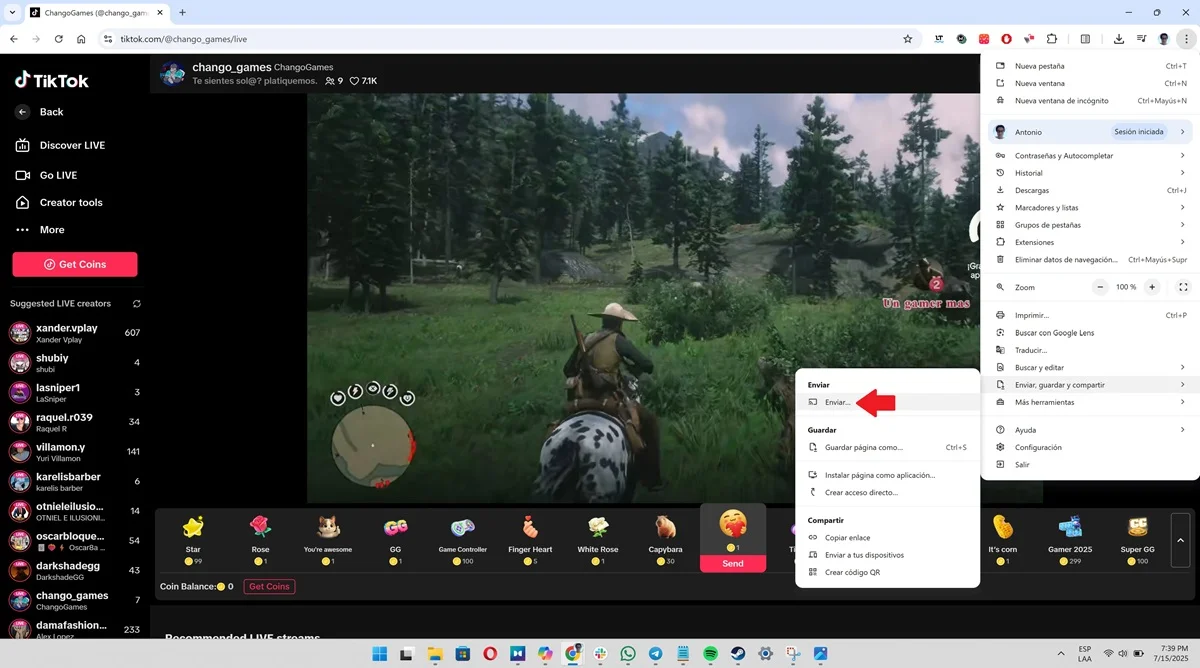
- Enter the Google Chrome app, enter your Tiktok account from the browser and select the "Live" section. Now, click on the three vertical points located in the upper right angle and poses the cursor on the option "Send, Save and Share."

- A small submenu will open, there chooses the "Send" function.
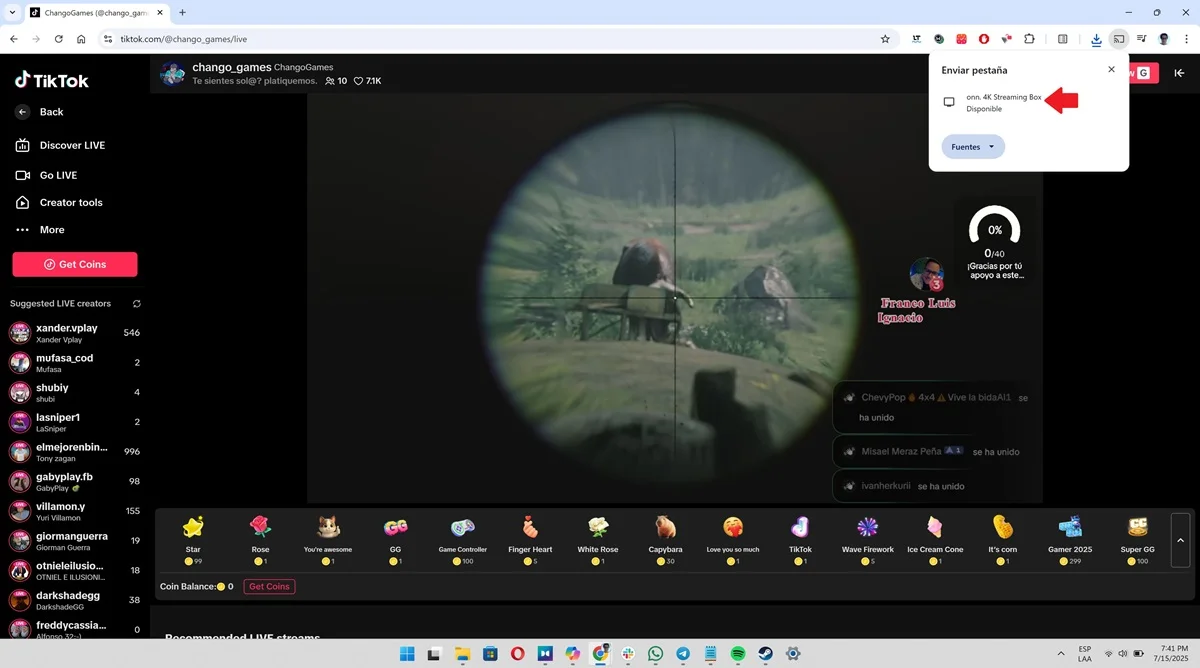
- Now, finally, you will see a floating window at the top of the screen that will show you the options that Chrome can send the content. Click on your Smart TV to start the Tiktok Live Transmission and voila.
Leave a Reply