

The push notifications They are alerts that a mobile application sends without you having to open it or ask it. As its name indicates, the word "push" refers to a type of notification that arrives forcefully so that the alert appears instantly on your mobile screen and you stay informed.
Although push notifications are useful for immediate communication, they can be annoying if they come from an app that is not important to you, even when you reduce the notification sound. Therefore, below, you will learn how to manage this type of alert so that you maintain control of your smartphone.
Steps to activate or deactivate push notifications
Both Android and iOS offer everything you need to keep control of notifications without problems. You will only have to do the following:
Android
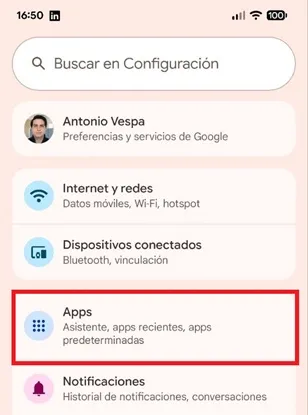
– Enter the “Settings” of the mobile and click on the “Apps” section.
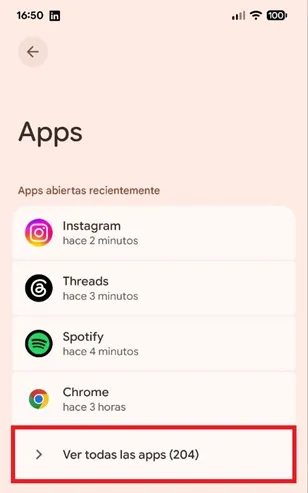
– The applications menu will open, there you must press the “See all apps” option.
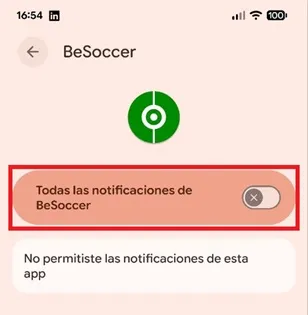
– You will see the entire list of applications installed on your mobile, look for the app for which you want to activate or deactivate push notifications and enter it. When you are in the app menu, click on the “Notifications” box.

– Finally, if you want to activate push notifications, enable the “All notifications from…” feature switch. On the contrary, if you want to disable them, turn off the switch so that you will no longer receive alerts from the app in question.
iOS
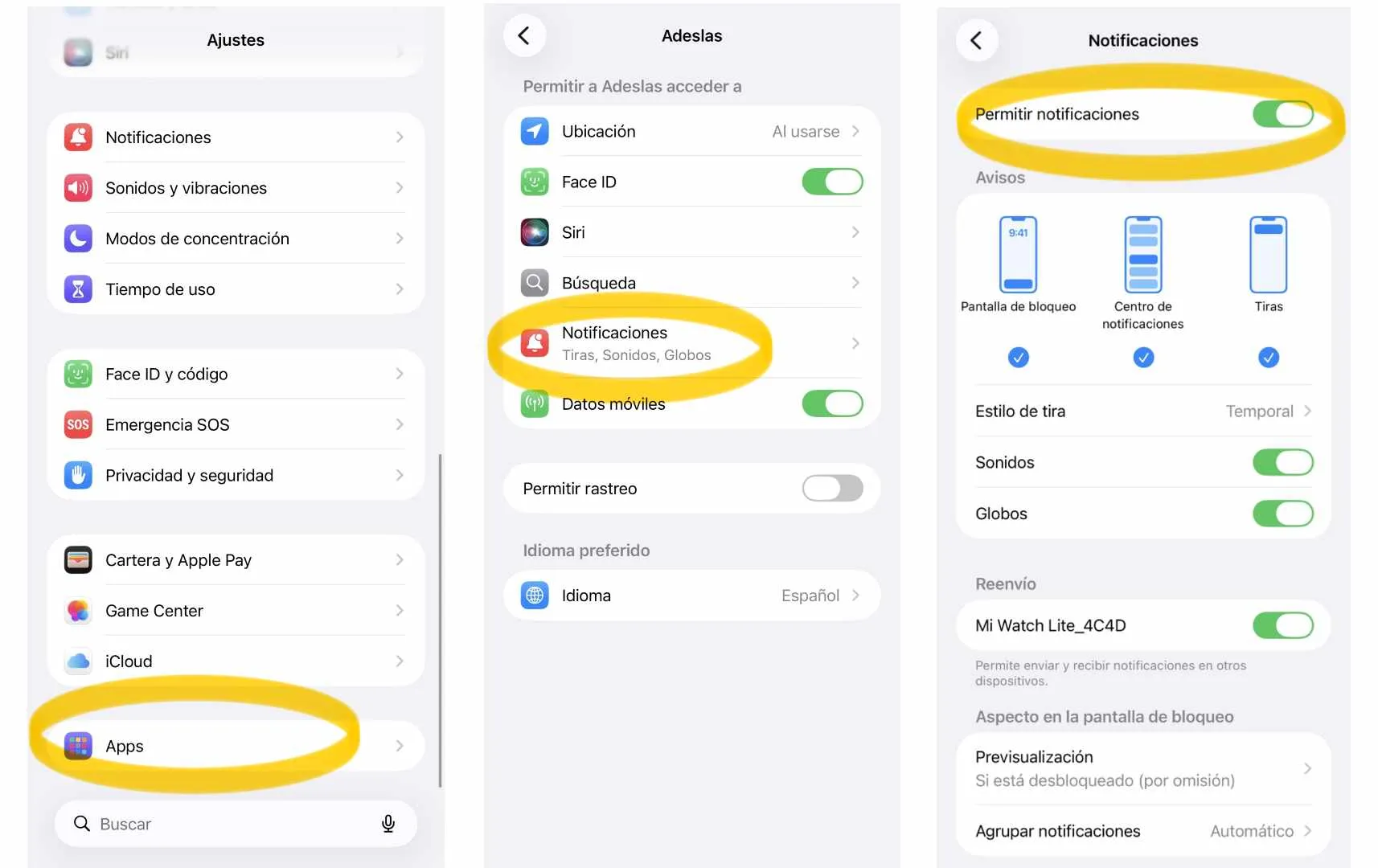
– Enter “Settings”, press the “Apps” option and search for the application you want to manage.
– Go to the “Notifications” section of the app and, depending on what you want, activate or deactivate the “Allow notifications” function.
That is all you will have to do, as you have seen, it is a quick, easy and safe procedure because each operating system offers the necessary options to manage push notifications without problems.
Leave a Reply