
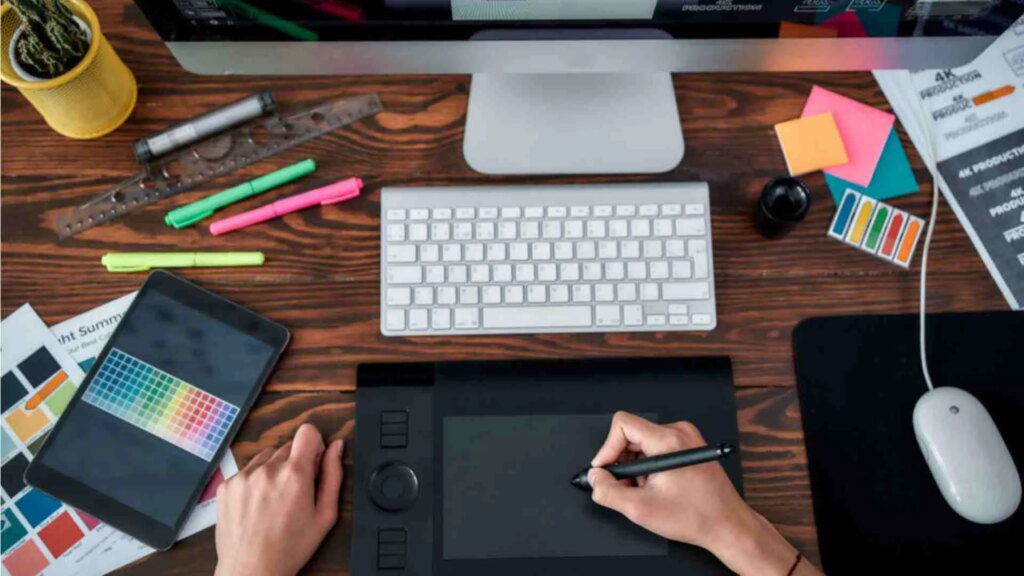
Choosing a laptop for graphic design requires evaluating aspects that go beyond the general power of the equipment. Image editing, illustration, layout, animation or modeling programs work with large files and need a balanced configuration. A suitable screen, a capable processor and sufficient memory allow you to maintain a stable workflow and avoid interruptions during creative tasks.
Before deciding which laptop to buy, it is worth analyzing the type of projects that will be carried out and the programs commonly used. Those who prepare pieces for social networks do not need the same equipment as those who edit high-resolution photographs or create three-dimensional compositions. The choice must respond to the real needs of each creative profilewithout paying for benefits that will hardly be used.
- The screen determines the quality of the visual work
- Color fidelity and panel type
- Appropriate resolution and size
- Processor and RAM memory for creative programs
- Integrated or dedicated graphics card
- SSD storage for large files
- Autonomy, weight and connections of the laptop
- What configuration to choose according to the creative profile
The screen determines the quality of the visual work
The screen is one of the most important components in a designer laptop. It is not enough to have a large size, as it must also reproduce colors accurately and offer a uniform image. Poor color representation can cause noticeable differences between what appears on the monitor and the result obtained when printing or publishing the project.
Color fidelity and panel type
For professional work, it is advisable to look for a screen that covers, at least, a high percentage of the sRGB color space. In photography, video or projects intended for printing it can also be useful broad coverage of Adobe RGB or DCI-P3. Good color fidelity helps make more accurate visual decisions during editing, retouching and preparing the final files.
IPS panels typically offer wide viewing angles and stable color rendering, while OLED displays excel in deep blacks and contrast. Both technologies may be suitable, as long as the model is correctly calibrated. In addition, a matte finish makes it easier to work in illuminated spaces, because it reduces reflections that make it difficult to appreciate details.
Appropriate resolution and size
Full HD resolution may be sufficient for general graphics tasks, especially on 13 or 14-inch screens. However, a higher resolution, such as 2K, 2.5K, or 4K, provides more workspace and allows you to review photos, illustrations, and compositions in greater detail. It also makes it easier to keep multiple tools open without reducing the project area too much.
The size should be chosen according to the usual workplace. 15- or 16-inch screens offer a comfortable surface for designing without an external monitor, while 13- or 14-inch devices allow for mobility. The balance between visual space and ease of transport is more useful than choosing only the largest screen available.
Processor and RAM memory for creative programs
The processor influences how quickly the laptop runs filters, exports files, manages multiple applications, or processes complex projects. For regular use of design programs, it is advisable to opt for a medium or high range of recent generations. A modern architecture usually provides better performance and greater energy efficiency than an older model with an apparently higher name.
How much RAM does a designer need?
The 16 GB of RAM memory constitutes a reasonable reference for graphic design, digital illustration, layout and photo retouching. This capability allows you to work with several applications open and handle documents of a certain size without the system losing fluidity. For basic tasks, 8GB might be enough, although that amount offers less room for future projects or software updates.
Those who edit video, work with large format files, use numerous layers or do three-dimensional modeling can benefit from 32 GB. It is also worth checking if the memory is soldered to the board or can be expanded. An expandable configuration extends the life of the laptop, since it allows the equipment to be adapted when professional demands increase.
How to choose the processor
A current mid-range processor typically meets the needs of students, freelance designers, and professionals working with images, vectors, and publications. Higher ranges are best suited for rendering, animation, advanced video editing, or projects that require frequent exports. In any case, sustained performance should be assessed, not just the advertised maximum speed.
Refrigeration also plays an important role. A very thin laptop can reduce its performance when it reaches high temperatures during prolonged charging. Therefore, it is important to check that the thermal design is suitable for intensive sessions. Processor power provides little value when the computer cannot maintain it for the time needed to complete a task.
Integrated or dedicated graphics card
The graphics card is responsible for accelerating certain effects, transitions, displays and processes supported by the graphics unit. For editorial design, illustration, logo creation or moderate photo retouching, a modern integrated graphics can offer sufficient performance. This option usually reduces power consumption, weight, and the overall price of the laptop.
A dedicated graphics card becomes more important in video editing, animation, 3D design, rendering, and projects with complex effects. In these cases, the amount of available graphics memory must also be observed. GPU should be chosen based on software and intended workloadavoiding assuming that all creative profiles need the most powerful settings.
SSD storage for large files
SSD storage improves system booting, opening programs, and transferring documents. A capacity of 512 GB may be sufficient for those who store part of their projects on external drives or cloud services. However, photo files, videos, graphics assets, and creative libraries can quickly take up space.
For continued professional use, 1TB offers a more comfortable headroom and reduces the need to constantly manage storage. It is also advisable to check if the laptop allows you to add another drive or replace the installed one. A fast SSD with sufficient capacity speeds up daily workalthough it is advisable to keep external backup copies of important projects.
Autonomy, weight and connections of the laptop
Autonomy becomes especially important when working outside the home, in shared studios, educational centers or meetings with clients. The figures announced by manufacturers are obtained under specific conditions, so the use of creative programs can reduce them. A good capacity battery provides flexibility, although it must be valued together with the efficiency of the processor and screen.
Weight directly influences transport comfort. A computer weighing less than 1.5 kilograms is practical for frequent trips, while heavier models usually incorporate larger screens, better cooling or dedicated graphics cards. Mobility must be valued along with performancebecause reducing the size too much can limit connections, sustained power or expansion possibilities.
The available ports also determine the daily experience. An HDMI or DisplayPort output makes it easy to connect an external monitor, while USB ports allow you to use graphics tablets, drives, readers and other accessories. Thunderbolt or USB-C with video streaming and charging can simplify desktop use with a single connection, especially when using a peripheral dock.
What configuration to choose according to the creative profile
A design student or a professional focused on illustration, photography and layout may look for a well-calibrated IPS or OLED display, 16GB of RAM, a modern mid-range processor, and a 512GB SSD. This combination offers balanced operation and allows you to use the usual creative tools with enough margin.
For advanced video editing, animation or 3D design, it is more appropriate to consider 32 GB of RAM, a higher performance processor, a dedicated graphics card and a 1 TB SSD. The screen must maintain accurate color reproduction and comfortable resolution. The best purchase will be the one that combines screen, power, storage and mobility according to the intended job.
Leave a Reply