
Google Maps allows you to explore the planets as if you were an astronaut, accessing 21 celestial bodies throughout the Solar System.
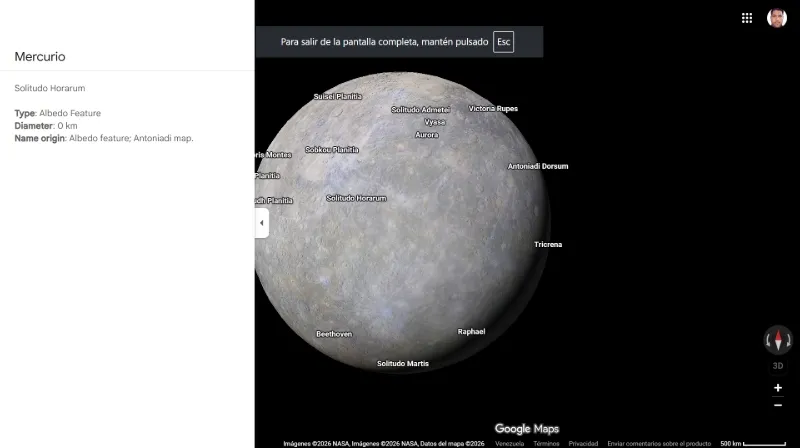
You can contemplate planets like Mars, Mercury or Pluto; moons such as Europa, Ganymede (Jupiter) or Titan and learn about different geographical features, type of surface, diameter in kilometers and original name of the celestial bodies.
It also allows you to see the International Space Station (ISS), located in low space orbit, and see the Earth as if you were an astronaut, learn information about its interior, explore its internal composition...
In addition, you can move around the entire screen for easy exploration, rotate, rotate 360 degrees, move up or down, zoom out or zoom in. To get to this planetary view, you have to access it from the web version of Google Maps, since it is not available on mobile.
Although there are apps to see stars, with this Google Maps functionality you can get closer to the planets of the solar system. If you want to learn more about them, their composition and how they look from a closer view, these are the steps to follow.
Steps to see planets from Google Maps
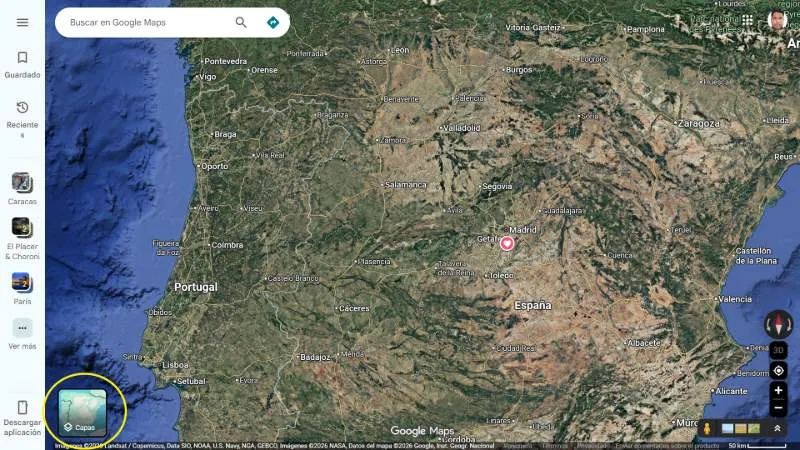
-Enter Google Maps from your web browser or go directly from this link "https://www.google.com/maps/" and vGo to the “Layers” tab.
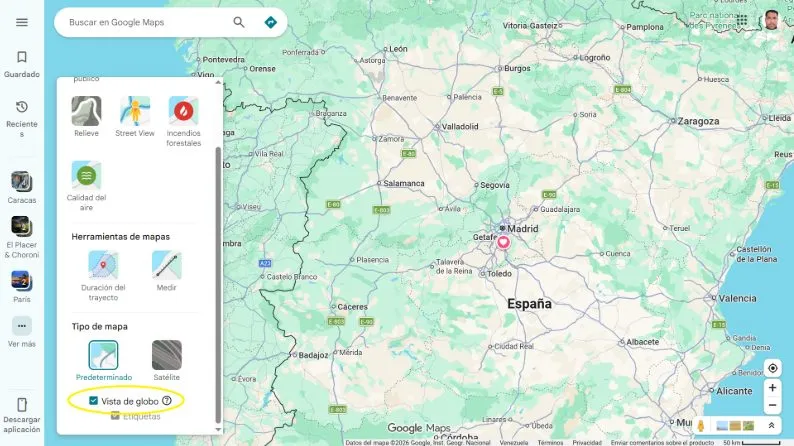
-ANDIn the “Map Type” section, activate the “Globe View” box. If you can't see the option directly, tap "more" to see more layers.
-Use the mouse scroll to zoom out of the map view or the "-" zoom buttons in the lower right corner of the screen until you reach space. Wait for the left side menu to be displayed with the list of all the planets, moons and constellations that you can visit.
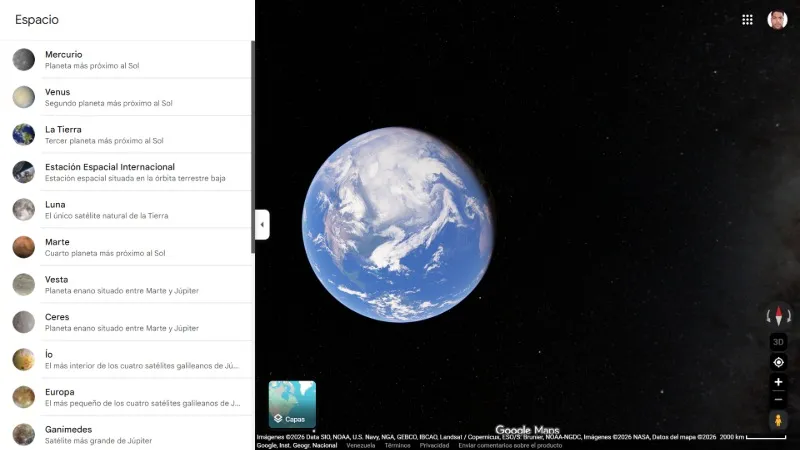
-Select the one of your preference. Wait for the view to load on the screen and explore wherever you want. On one side details of what you touch will be shown.
Leave a Reply