
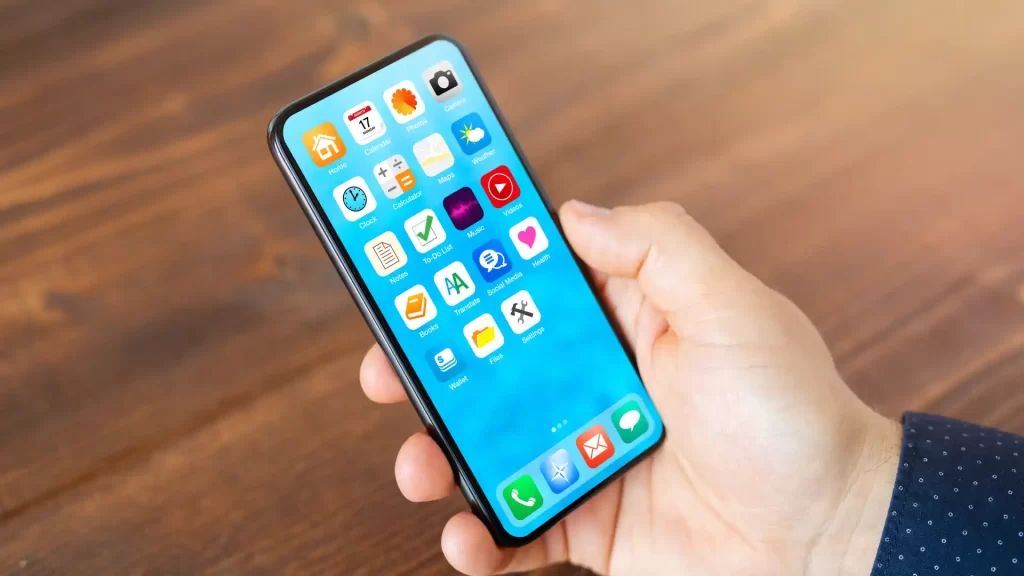
One of the most practical and effective ways to free up mobile storage space, improve performance and keep the system organized is to manage the apps that you don't use on your smartphone so that they don't get out of control, so you won't waste memory on applications that you don't even remember you installed.
If you want to get rid of applications that you have no real use for so that they are not running in the background or consuming battery, below, you will learn how you can access the list of unused apps so that you can manage them as you wish.
Steps to enter the list of deprecated apps
The procedure is different depending on whether you have an Android mobile or an iPhone. Depending on your case, do the following:
On Android
Android natively integrates a section that will help you quickly find the applications that you have not run in a long time, so you yourself will be the one who will decide whether to keep them or uninstall them from the system. The procedure is as follows:
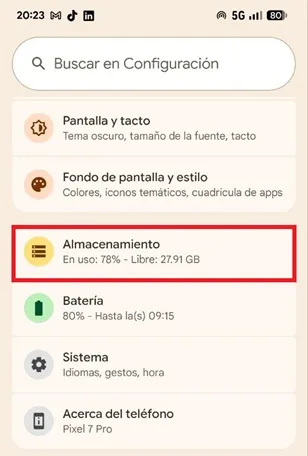
– The first step is to enter the “Settings” of the mobile, then scroll down and select “Storage”.
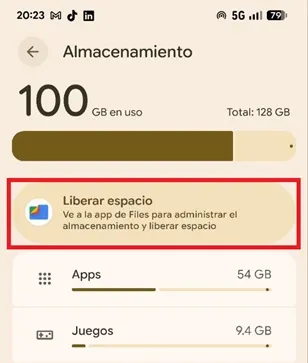
– You will enter a new section, there you must click on the box called “Free up space”.
– At this point, tap the “Deprecated Apps” option found in the top menu.
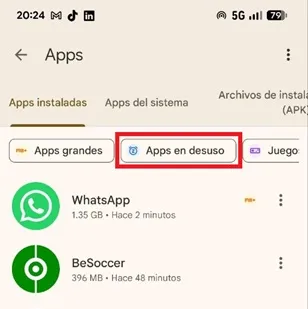
– There you will see the applications that you have not used in a long time, if you want to uninstall any of them, just press the three vertical dots on the right side of the app and choose “Uninstall”.
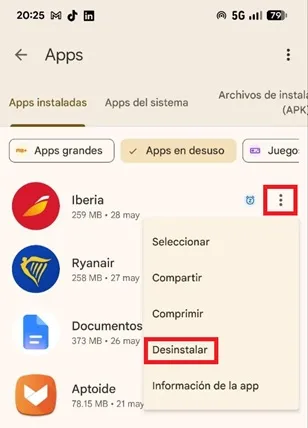
That's all you have to do, now you will keep the applications that you do not use under control so that they do not fill the memory of your mobile. This way you will have a light, fast and efficient smartphone, since you will not have to spend resources on processes and programs that are totally unnecessary because they are not offering you any type of benefit.
On iPhone
On iPhone there is no section as such, but you can follow the following route to find out the apps you use the least:
-Go to "Settings" and click on the "General" section
-Go to «iPhone Storage.
There you will see a list with the apps ordered according to the space they occupy. Under each of them, you will see the last time it was used, so you will know which ones you have never used or which ones have not been used for months.
Leave a Reply