
Microsoft Teams is a teamwork application focused on communication and collaboration, much more than just an app for video calls. It is designed above all for work groups, students and companies that want to organize their projects efficiently online.
This tool provides all the necessary tools for better administration and management of activities, offering flexibility to workers and facilitating teamwork. Following the closure of Skype, Microsoft has advised all users to switch to Microsoft Teams. This program has a free version and several paid plans, as you will see later.
Within Teams you will have at your disposal various channels and functionalities focused on productivity that will improve the performance of the group. The software can be fully integrated with Word, Excel, OneDrive, PowerPoint, OneNote, Planner, and more, making it easy to manage goals and tasks from one place.
Likewise, to apply better work management, you can add other applications to optimize group productivity, such as Trello, Planner, Forms, GitHub and many other platforms ideal for work teams.
In this way, Microsoft Teams is like a virtual office that you will have access to on your computer screen. In this article you will learn everything you need about Microsoft Teams.
How does Microsoft Teams work?
As it is a team collaboration program, its use revolves around a chat system so that group members can communicate with each other easily.
In turn, the chat section offers multiple spaces and channels that allow video calls, exchange of files, information or important last-minute changes, among others.
In detail, Microsoft Teams works as follows:
Compatibility and entry
Although it is a software created by Microsoft, its compatibility is not only limited to Windows, since you can also use it on macOS, Linux, Android and iOS. Logically, to use the program you must download it from the official website (https://www.microsoft.com/es-es/microsoft-teams/download-app). You can also download it for phones and mobile devices, the app is available in the Google Play Store (Android) and App Store (iOS).
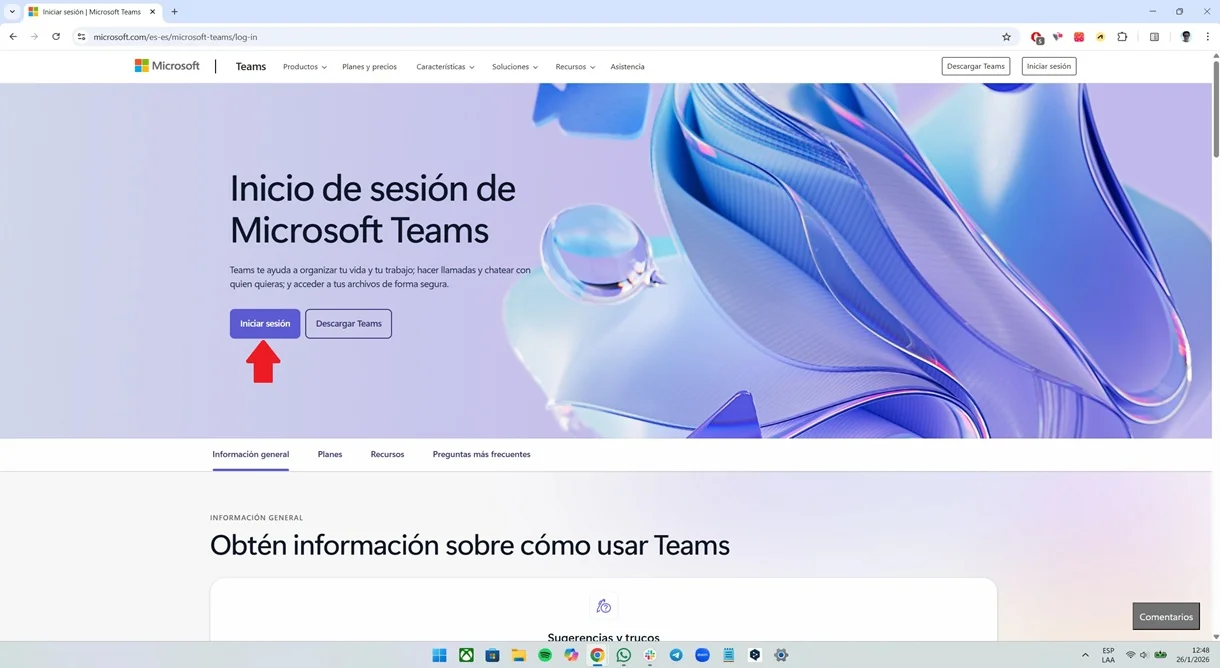
To start using Microsoft Teams, simply enter the program once installed or visit its official website (https://www.microsoft.com/es-es/microsoft-teams/log-in), click on the "Sign in" button and enter your Microsoft username and password to enter the platform.
Chats
You can open chats to meet all kinds of goals or pending tasks. In this way, a conversation can contain its own topics, main line of work and others subordinate to specific goals or tasks. Within chats, the team can communicate with each other with written messages and video calls and has complete freedom to upload, download and share collaborative documents.
An important point is that the conversations of each channel are organized in a single thread, which facilitates management and the dynamics of questions and answers when working. In addition to audio and video calls, the platform allows you to open special sections for massive video conferences that offer support for a maximum of 1,000 participants.
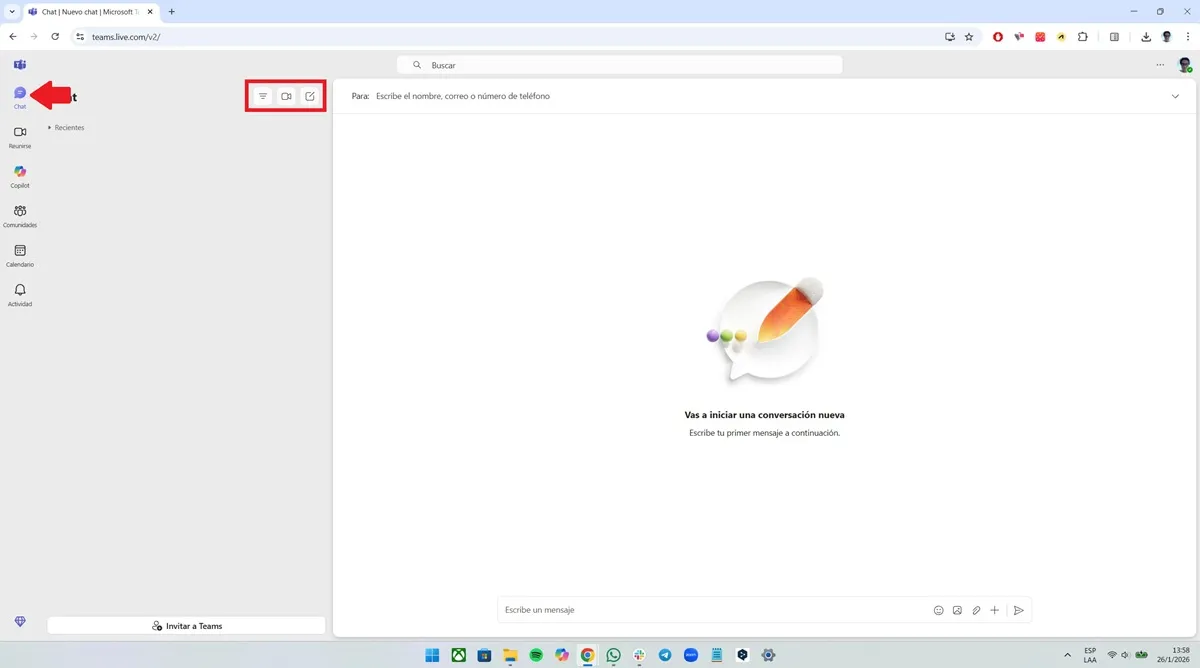
The option to chat will be available to you in the left sidebar, there you will see all the chats you have open and the groups in which you are integrated. Additionally, you will have three options at your disposal, which are the ability to filter conversations, an immediate meeting button, and a function to open a new chat with another person or multiple users at the same time.
Meetings
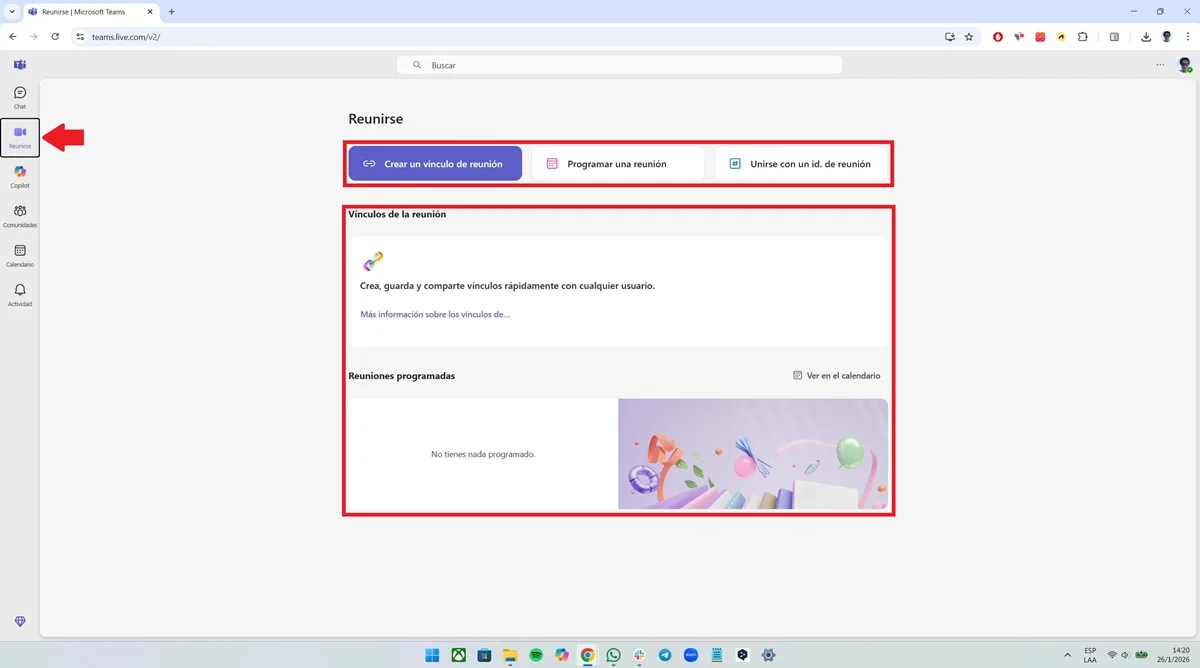
Logically, as its name suggests, Microsoft Teams is made for teamwork. For this reason, you'll have the "Meetings" tab, which offers all kinds of useful features, such as: creating meeting links, scheduling a meeting using the calendar, joining a meeting using an ID, saving links, viewing all the meetings you've scheduled, and more.
Work teams
It is the most important part of Microsoft Teams because it allows you to create each of the spaces for work teams. Once the space is generated, it will be accessed by people who are authorized to communicate, interact and collaborate on any business or personal project.
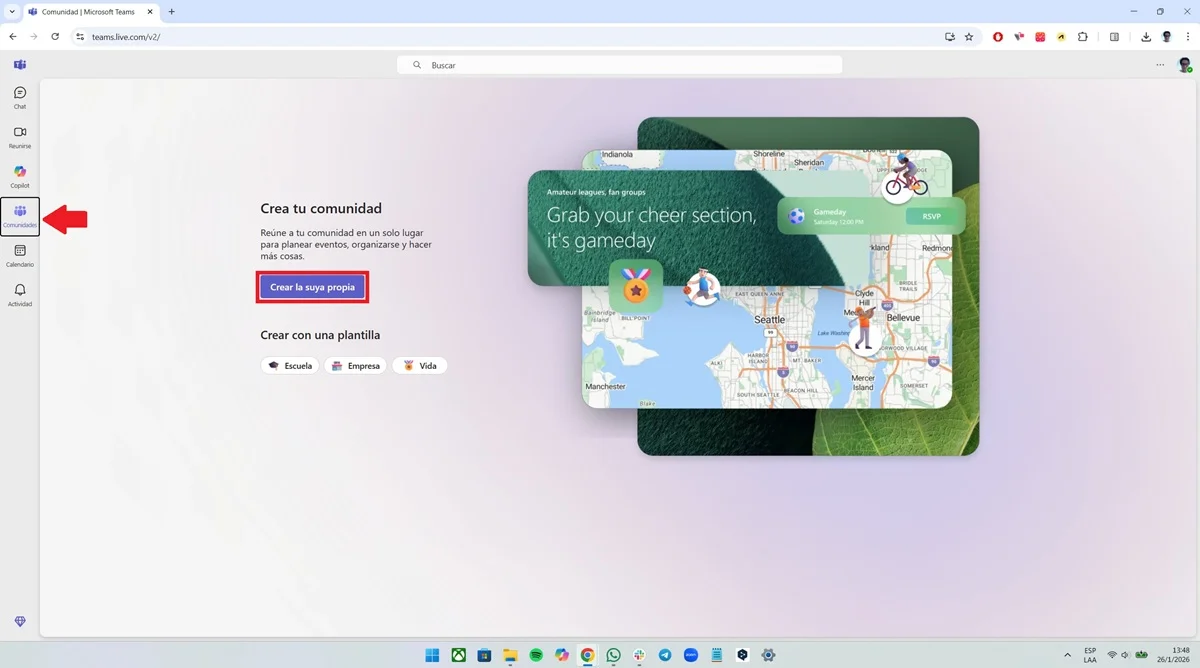
Within the platform, you will find all the work teams in the "Communities" section (it can also be called "Teams"), which is located in the left panel. All you have to do is click on the option to find all the teams you belong to in one place or create your own.
Calendar and activity
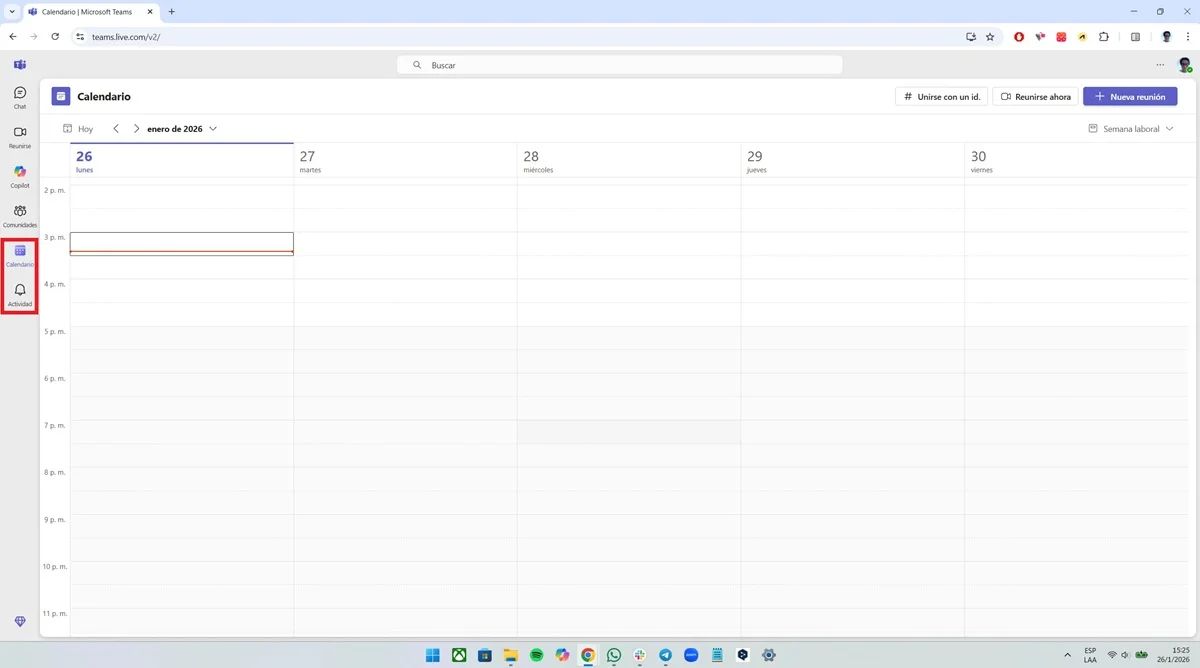
Finally, you will have at your disposal a complete calendar within Team that will not only help you see all the meetings you have scheduled, but will also inform you about the work meetings you are part of. There you will have at your disposal the exact time of the meeting and the day so that you can make all the plans.
On the other hand, in "Activity" you will see all the mentions of your profile, as well as chat and meeting notifications and other important alerts so that you are always up to date on your work.
How much does Microsoft Teams cost?
You can use Microsoft Teams for free for personal and family use. Without having to pay anything, you can use groups of up to 100 people and enjoy 60 minutes per meeting. In addition, you will have 5 GB of storage and unlimited chat service.
If you want to upgrade to a higher plan you will have to contract Microsoft 365 Personal, which costs 99 euros per year and which allows you to use Teams, in addition to the Microsoft Office apps (Word, Excel, PowerPoint...). It also provides you with 1 TB of storage and you can hold meetings of up to 30 hours in length. The number of participants increases from 100 to 300.
In the case of companies, Teams has three main plans:
–Microsoft Teams Essentialswith which you will pay 3.70 euros per user and month. It is designed for SMBs and includes improved meetings, extra storage and Teams features without the Office apps.
–Microsoft 365 Business Basicwith a cost of 5 euros per user and month. Allows you to use Teams and other applications such as Office, Exchange, SharePoint and OneDrive.
–Microsoft 365 Business Standardwith a price of 12.50 euros per user per month. It allows you to use the previous programs and adds desktop versions of Office applications (Word, Excel, PowerPoint).
There are other superior plans for large companies, with security, analytics and advanced telephony options.
Leave a Reply