

Google has a tool that allows you to verify if your personal information has been exposed on the Dark Web. This is a part of the Internet that is not indexed by conventional search engines such as Google and is characterized by its high level of anonymity and its inaccessibility through common web browsers.
In fact, to access the Dark Web, it is necessary to use specialized software such as Tor (The Onion Router), which is responsible for hiding the user's identity and location through a network of voluntary servers that encrypt and bounce communications.
The Dark Web can also be used for legitimate purposes, to achieve secure and anonymous communication in countries with high censorship, protection of privacy for journalists, activists or whistleblowers. However, it is best known for hosting illegal activities, such as the sale of illicit substances, forged documents, and cybercrime services.
In this article, you will learn how to access this Google tool to find out what personal information of yours exists on the Dark Web and thus be able to protect your privacy.
How to find out if there is information about you on the Dark Web
Google's tool to discover personal information leaked on the Dark Web is a free tool that all users with a Google account have access to.
For free, with the «Dark Web Report» from Google you can receive alerts and guidelines in case your Gmail account is exposed on the Dark Web. If you want to analyze more information, you'll need a Google One subscription and you can receive a notification whenever your name, social security number (US only), date of birth, address, email address (up to 10), and phone number (up to 10) are found on the Dark Web.
Of course, only the information you choose to monitor will be taken into account when searching for matches on the Dark Web. In fact, you are the one who controls everything that is monitored at any time by editing your monitoring profile.
If you care about your cybersecurity, you can check the “Dark Web Report” as follows:
-Enter the website https://one.google.com/ from your computer or mobile device.
-A menu of options will appear.
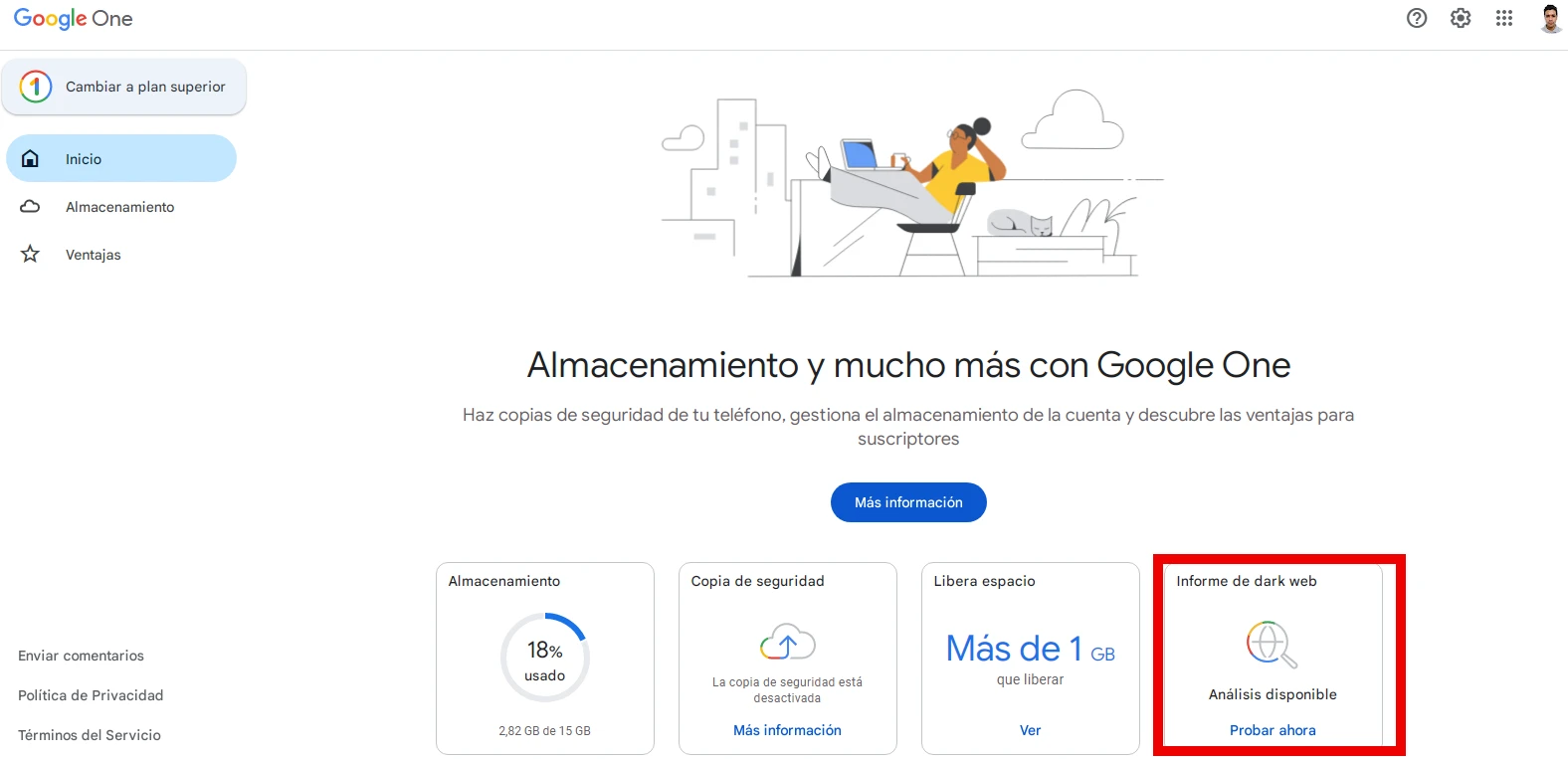
-Select the “Dark web report” option.
-Press "Try now" and then make the corresponding query.
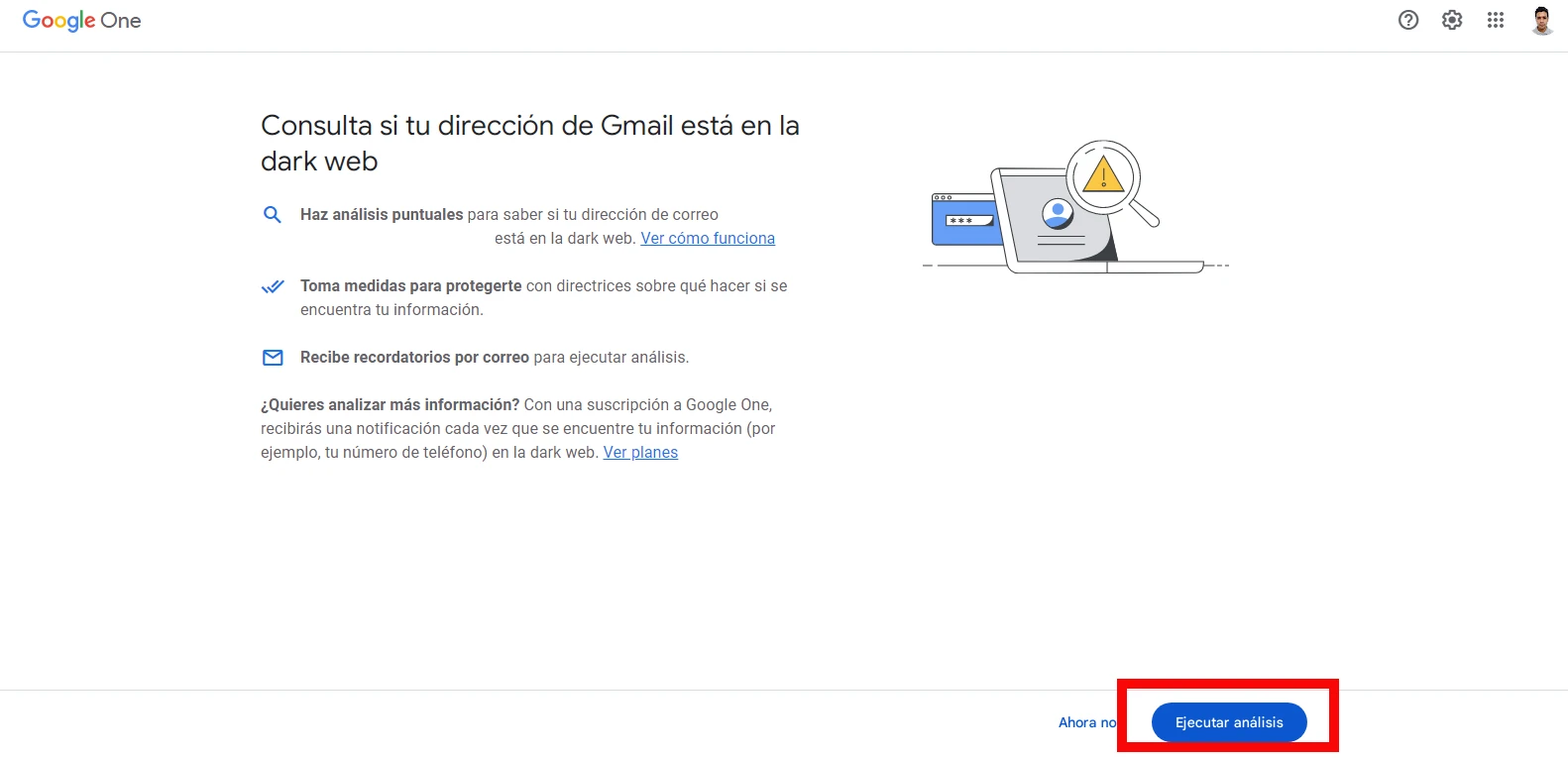
-Click on "Run analysis" to complete the process and the system will give you the result in a matter of seconds.
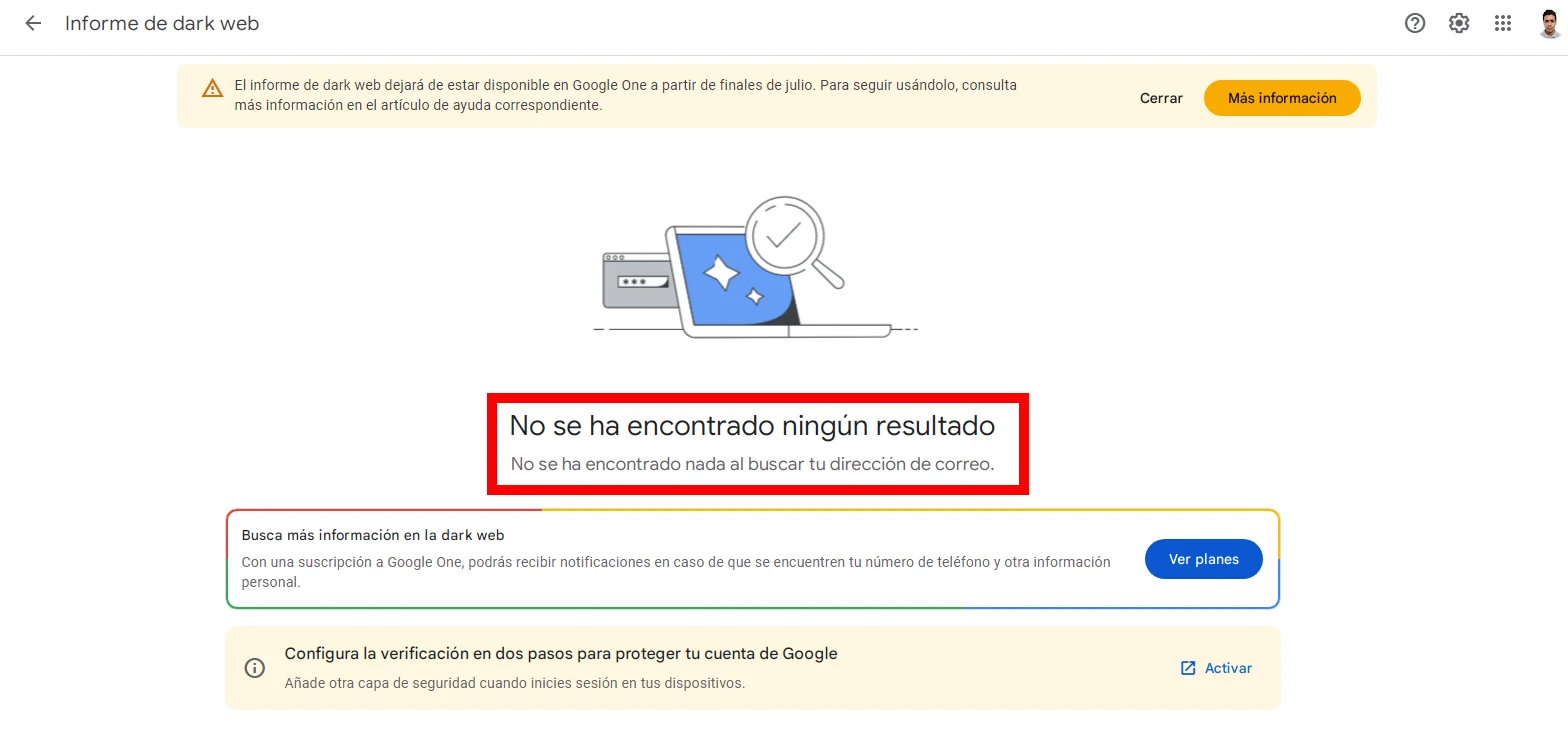
-This way you will be able to know if your email address or any other personal information is compromised and you will take the necessary measures to further protect yourself.
Leave a Reply