

If you have not been able to get extended Windows 10 support for free or simply want to use another operating system, one of the best options available to you is a Linux distribution called “Linux Mint”. It is an operating system for desktop and laptop computers that is capable of operating in a simple, intuitive, stable and secure way.
Although Linux alienates many users due to how complex the installation of apps and games is, this is not the situation with Mint. This distribution is compatible with an immense number of programs and applications that are essential for most people, and therein lies its main attraction.
Linux Mint stands out for its versatility, for example, if you work with graphic design, you can use programs like Blender, Gimp and Inkscape. Regarding productivity, it has the office platform called “LibreOffice”, which will help you write, create presentations, generate spreadsheets and more.
But that's not all, Linux Mint is also compatible with multiple content platforms, so you can watch series and movies on Netflix, listen to music on Spotify, watch TV on Pluto TV, etc. However, its differential point is that it is will allow you to install more than 7,800 Steam video games and you can expand this list by installing launchers like Heroic Games or Lutris.
When it comes to Internet browsing, Mint also has this function covered, since you can install Firefox to search for any type of content on the Internet without restrictions, you will have YouTube, Twitch, NVIDIA GeForce Now and much more at your disposal.
How Linux Mint works
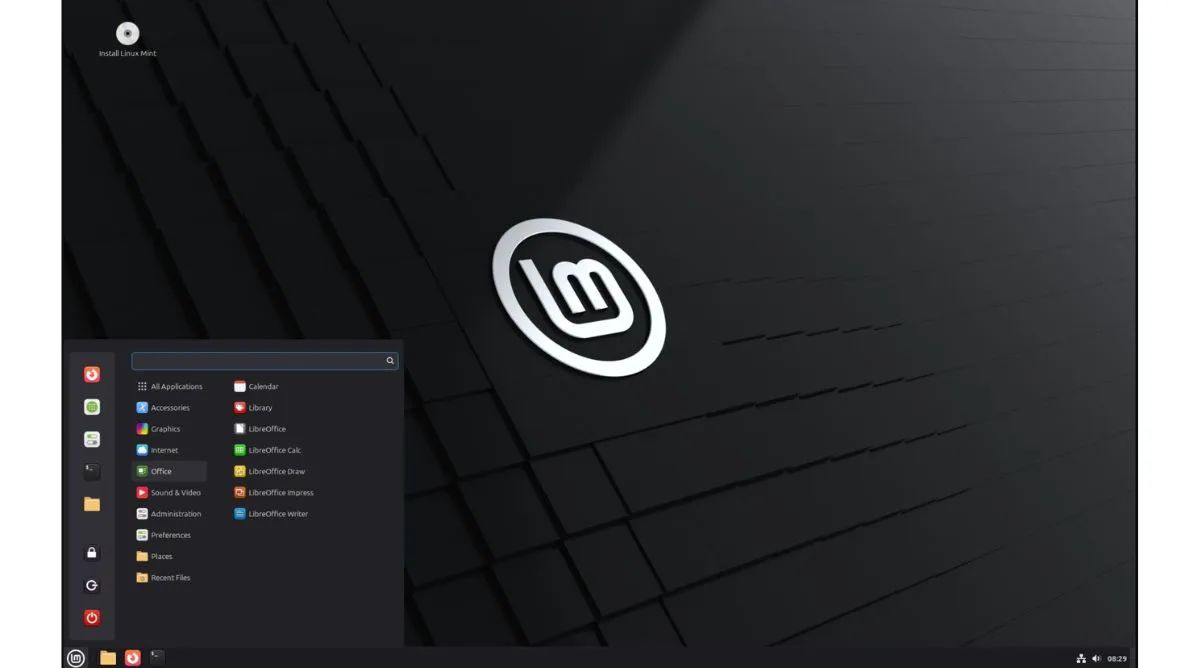
The simplicity of Linux Mint is its main strength, and it is a Linux distribution that stands out for being easy to use, fast and comfortable. First of all, the operating system works from the first moment, you will not have to make complex configurations of any kind or manage drivers on your own. This is because it comes preconfigured and optimized at the factory.
On the other hand, the Mint desktop is basic and intuitive because it works according to the KISS (Keep it Simple, Stupid) parameters. It is made so that anyone, regardless of their age and skill with computers, can become familiar with the operating system naturally and without complications.
A crucial aspect of the operating system is that it has its own software update center and when a package is pending, it will install itself. Thanks to this, it is a platform that requires little maintenance and is stable and secure because it remains at the forefront to avoid third-party attacks.
It should be noted that Mint is a free and open source operating system because it is based on the work of distributions such as Ubuntu and Debian. Likewise, the software respects your privacy, since it does not collect data and the platform will allow you to do what you want without interfering in your decisions.
Linux Mint Qualities
A key feature of the software is that, in addition to being installed in a classic way (by downloading the system from its website: https://linuxmint.com/), it can also be run “expressly” through a USB memory. This means that you won't have to install anything because the memory will act as the boot drive.
Additionally, Linux Mint is not a hostile or invasive system, it can coexist with other software without presenting errors of any kind. This is useful because on your computer, for example, you can have both Windows and Linux Mint installed. Simply, when you turn on the computer, it will ask you which platform you want to start so you can choose the one you need.
Now, one of the main strengths of Linux Mint is its ease of use and convenience, since it does not require advanced programming knowledge to install applications. This is thanks to the fact that the operating system is compatible with more than 60,000 PC programs and 7,800 Steam video games.
Finally, despite everything it offers, the operating system requirements are minimal. To run it in perfect conditions, you will only need 4 GB of RAM, 100 GB of storage space (minimum 20 GB) and a screen that has a minimum resolution of 1024 x 768 pixels.
Leave a Reply