

Manus AI is an artificial intelligence that was acquired by Meta and that works as a personal agent with whom you can chat, but that also performs complex jobs.
It has its own applications for Android, iOS, macOS and Windows. Due to its autonomy to analyze problems and solve them in real time, Manus AI allows you to automate and optimize workflows and be more efficient.
They also summarize important data, compare options, write emails, prepare proposals and generate preliminary legal documents. He also performs financial analysis, candidate selection, real estate research, problem solving, among others.
The architecture of Manus AI is based on a complex “multi-agent” model, similar to that of other artificial intelligences such as Claude AI 3.5 Sonnet and Qwen.
An important point is that Manus AI continues working even when it is not open, as it remains active in the background and when the user is disconnected to produce and manage any task requested in real time without the need for the app to remain open.
How Manus AI works
To use Manus AI you only have to do the following:
– Download and install Manus AI, either on your Android or iOS mobile or on your computer (the version for computers is available on the web: https://manus.im/desktop). When installing, you can enter the platform with your Facebook, Google, Microsoft, Apple account or with your personal email.

– Once inside, Manus AI works like any other AI, just write a prompt and ask it in the dialog box to perform the tasks you need, such as generating statistics, analytical graphs, summarizing content, creating a presentation for an executive meeting...

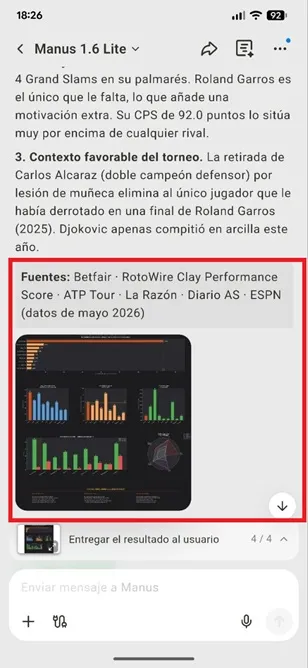
– When you ask it to do a specific task, Manus AI will show you in real time all the data it is processing and its analysis so that you know how it is generating the information and what sources it is using for what you have requested. When finished, it will show you the results on the screen so you can thoroughly analyze each point.
– If you wish, you can add any task, event or work that Manus does to your calendar, email, browser or preferred social network. To achieve this, just press the connector-shaped button and select the desired platform.

– If you press the “+” symbol, the AI-specific tasks section will open, there you can ask it for things like: connect to a computer, add skills, create website, develop applications, create slides, create image, edit image, schedule tasks and more.

– Finally, in the top menu you can share Manus IA's response without leaving the platform. You can also check the number of credits that the task consumed and, if you touch the three vertical dots, you can add the answer to favorites, rename it, analyze all the files saved in the AI, schedule a task and delete the query made.

Manus AI plans and pricing
For free, the platform gives you 1,300 credits that will be consumed as you request tasks from the AI. The amount of credits spent depends on the complexity of what you ask of Manus AI. The more difficult the task, the more credits you will need.
On the other hand, you have a monthly Manus Pro plan at your disposal, for 42 euros per month and you can also make an annual payment of 420 euros. This plan gives you 8,000 credits per month and enables tools such as advanced research for any topic, professional website implementation, insightful slides with solid structure, better performance for demanding tasks, and the ability to manage up to 20 concurrent tasks.
Leave a Reply