

It is not strange that, when cleaning your phone's storage space or clearing the app cache, you accidentally uninstall an application or a game. This will be annoying because, in theory, you could lose the data you have saved in the app or the progress you have made in the video game.
However, this inconvenience does not have to become a catastrophe, since you can restore any program that you have deleted in a simple way. This means that you will not only recover what you deleted, but you will also restore all the information that was saved in the app or game. In this article you will learn what you should do.
Steps to recover deleted applications and games
Android and iOS offer you everything you need to restore apps and video games that you have accidentally deleted, which is useful because you will get all the information back without depending on third-party programs. The procedures are as follows:
Android
The fastest, safest and most effective method is to check the history of deleted applications that is available in the Google Play Store. From there you will reinstall what you deleted and recover the information:
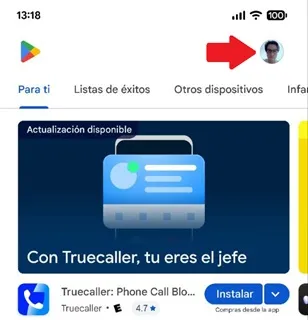
– Enter the Play Store and touch your profile icon located in the upper right corner.
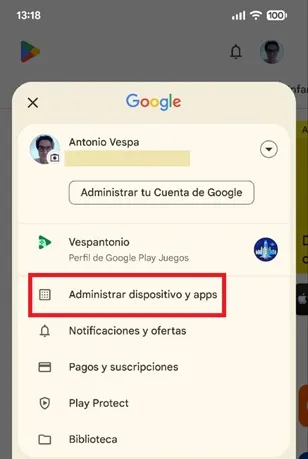
– A floating menu will open, click on the “Manage devices and apps” option.
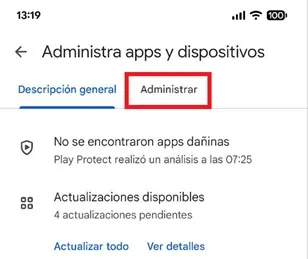
– Select the “Manage” tab.
– Display the “This device” box and choose the “Not installed” option.
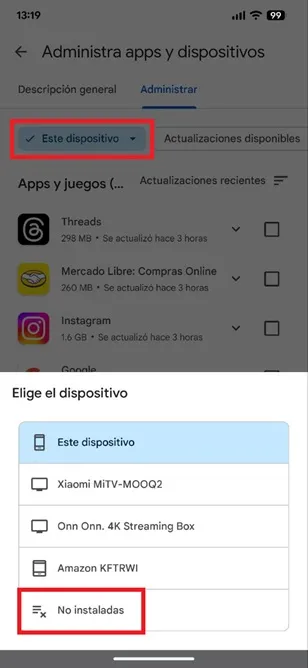
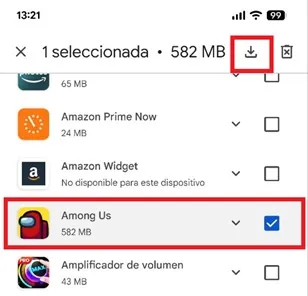
– Now, mark the app or game that you deleted and touch the download icon to download the app, reinstall it and, at the same time, recover the information you had saved or restore the game progress.
iOS
The procedure is similar to that of Android, only, logically, on iOS you must do it in the App Store:
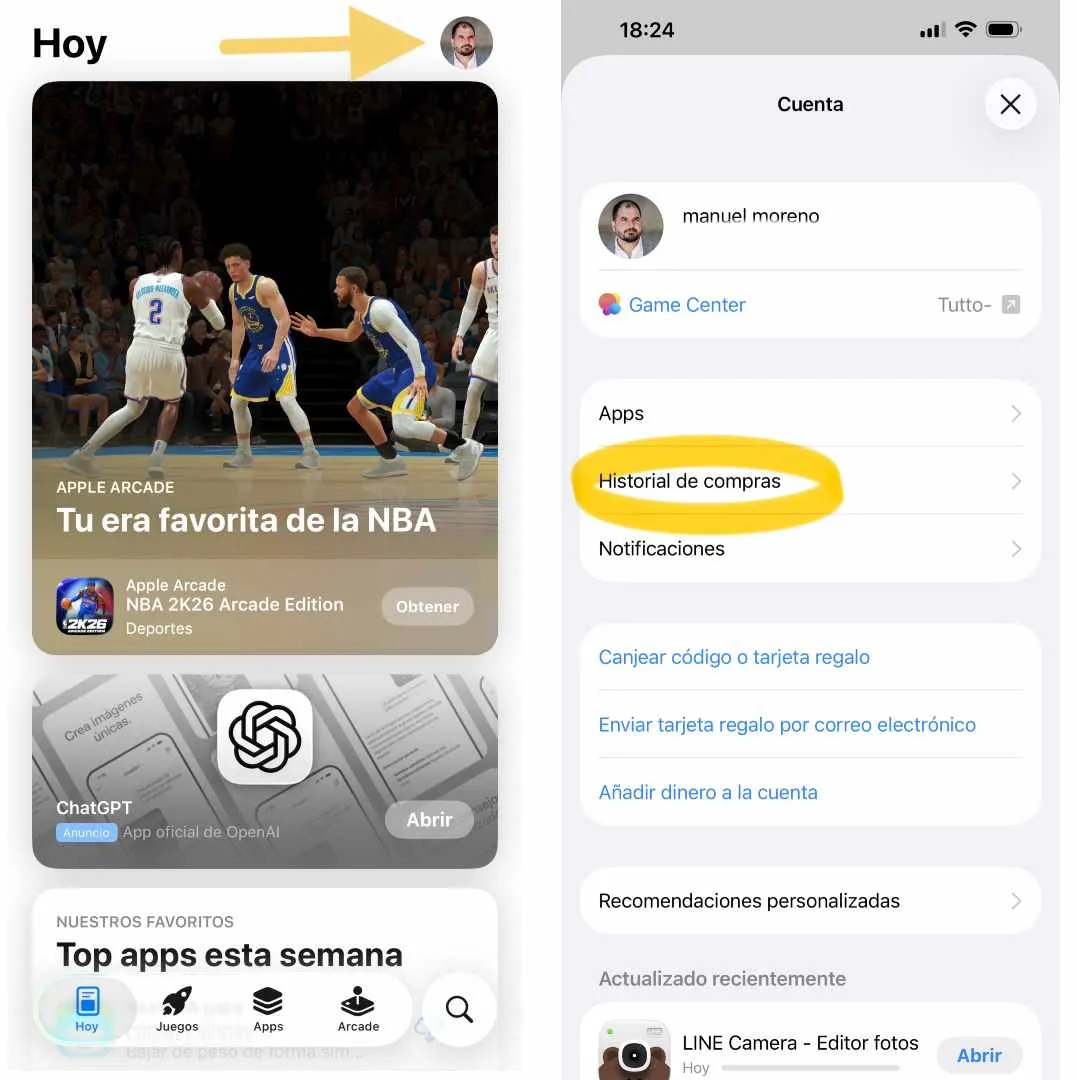
– Open the App Store and press your profile photo in the upper right corner.
– Click on “Purchase History” and then choose “My Purchases”.
– You will enter the history of all the applications you have downloaded on your iPhone. Find the deleted app or video game and tap the cloud icon with arrow to install it again on your mobile.
Leave a Reply